Setup — what a copied snippet needs
1. The bundle. One CSS + one JS file, hosted on the
jsDelivr CDN pinned to a release tag. Every
release's
notes carry the ready-to-paste <link>/<script>
snippet with that version's SRI hashes; or vendor
dist/hatchi-maxchi.css + dist/hatchi-maxchi.js.
2. Icons. Snippets reference icons as
<svg><use href="#name"></svg> against a symbol
sheet included once per page — copy
sprite_sheet.svg inline into your
layout (this page embeds it at the top of <body>).

3. The server half. Interactive Hyperparts are htmx4
partials: your endpoints must return the fragments documented in each
component's Endpoint contract. Tables/lists that swap with
hx-swap="innerMorph" need the idiomorph extension. This gallery
runs a static mock instead of a server, so everything here works offline.
Full details (theming, prefixing, releases): the README.
Button
Primary, outline, ghost, destructive — chromatic accent CTAs.
<div class="hm-demo-row">
  <button class="button" data-variant="primary">Save changes</button>
  <button class="button" data-variant="outline">Cancel</button>
  <button class="button" data-variant="ghost">Learn more</button>
  <button class="button" data-variant="destructive">Delete</button>
</div>Badge identity
Colour + icon + text — status never relies on colour alone (WCAG 1.4.1).
<!-- icons: include the icon sheet once per page (see the Setup section, #setup) -->
<div class="hm-demo-row">
  <span class="badge" data-tone="success"><span class="badge-icon"><svg class="icon" aria-hidden="true"><use href="#i-circle-check"/></svg></span>Approved</span>
  <span class="badge" data-tone="warning"><span class="badge-icon"><svg class="icon" aria-hidden="true"><use href="#i-triangle-alert"/></svg></span>Pending</span>
  <span class="badge" data-tone="destructive"><span class="badge-icon"><svg class="icon" aria-hidden="true"><use href="#i-circle-x"/></svg></span>Rejected</span>
  <span class="badge" data-tone="neutral">Draft</span>
</div>Alert identity
Tone-wash surfaces — an identity layer shadcn has no vocabulary for.
<!-- icons: include the icon sheet once per page (see the Setup section, #setup) -->
<div class="alert hm-measure-lg" data-tone="warning" role="alert">
  <span class="alert__icon"><svg class="icon" aria-hidden="true"><use href="#i-triangle-alert"/></svg></span>
  <div class="alert__body">
    <div class="alert__title">Payment method expiring</div>
    <div class="alert__description">Your card ending 4242 expires next month.</div>
  </div>
</div>Toast feedback
Stack host + auto-dismiss notifications — title, body, optional actions; hover/focus pauses the timer (htmx OOB or client bridge).
<div id="toast" class="toast-stack" aria-live="polite" data-toast-cap="8">
  <div class="toast toast-enter" data-toast-level="success" data-remove-after="8s" role="status">
    <span class="toast__icon" aria-hidden="true"><svg viewBox="0 0 24 24" fill="none" stroke="currentColor" stroke-width="2" stroke-linecap="round" stroke-linejoin="round"><circle cx="12" cy="12" r="10"/><path d="m9 12 2 2 4-4"/></svg></span>
    <div class="toast__body">
      <div class="toast__title">Saved</div>
      <div class="toast__message">Your changes are live.</div>
      <div class="toast__actions"><a class="toast__action" href="#toast">View record</a><button type="button" class="toast__action" data-toast-dismiss>Dismiss</button></div>
    </div>
    <button type="button" class="toast__close" data-toast-dismiss aria-label="Dismiss"></button>
  </div>
</div>Card layout
Bordered surface with a resting stacked shadow. Content classes (label / value / delta) build KPI tiles; compose several in auto-grid so each card keeps a natural width instead of stretching full-bleed across the preview.
<!-- icons: include the icon sheet once per page (see the Setup section, #setup) -->
<div class="auto-grid" style="--grid-min: 11rem">
  <div class="card card-body">
    <div class="card-label">Total Revenue</div>
    <div class="card-value">£1,250.00</div>
    <div class="card-delta"><svg class="icon" aria-hidden="true"><use href="#i-trending-up"/></svg> +12.5% this month</div>
  </div>
  <div class="card card-body">
    <div class="card-label">Open invoices</div>
    <div class="card-value">18</div>
    <div class="card-delta"><svg class="icon" aria-hidden="true"><use href="#i-trending-down"/></svg> −3 vs last week</div>
  </div>
  <div class="card card-body">
    <div class="card-label">Avg. days to pay</div>
    <div class="card-value">24</div>
    <div class="card-delta"><svg class="icon" aria-hidden="true"><use href="#i-trending-up"/></svg> +2 days</div>
  </div>
</div>Pagination htmx
The footer beneath a data table — a summary and page buttons. Each button hx-gets a page into the list body (an Exchange, not a widget).
<div class="hm-stack hm-measure-lg">
  <div id="hm-pag-body" class="hm-pag-list">
    <div class="hm-pag-row">INV-001 · Acme</div>
    <div class="hm-pag-row">INV-002 · Globex</div>
    <div class="hm-pag-row">INV-003 · Initech</div>
  </div>
  <div class="pagination" data-pagination data-grid-pagination data-grid-total="42" aria-label="Pagination">
    <span class="pagination-summary"><span class="bulk-summary-selected"><span data-bulk-count-target>0</span> of 42 selected</span><span class="bulk-summary-rows">42 rows</span></span>
    <div class="pagination-pages"><button class="pagination-page" disabled aria-label="Previous page">‹</button><button class="pagination-page is-current" aria-current="page">1</button><button class="pagination-page" hx-get="/mock/pagination/2" hx-target="#hm-pag-body" hx-swap="innerHTML">2</button><button class="pagination-page" hx-get="/mock/pagination/3" hx-target="#hm-pag-body" hx-swap="innerHTML">3</button><span class="pagination-ellipsis" aria-hidden="true">…</span><button class="pagination-page" hx-get="/mock/pagination/9" hx-target="#hm-pag-body" hx-swap="innerHTML">9</button><button class="pagination-page" hx-get="/mock/pagination/2" hx-target="#hm-pag-body" hx-swap="innerHTML" aria-label="Next page">›</button></div>
  </div>
</div>Data table data
A server-rendered data table on a real <table>, all HTML over the wire: search, sortable headers, filters, row selection (one page or every matching row), bulk actions, pagination, and deep-linkable URL-synced state. Optional extensions add column visibility, column resize, and inline cell editing. See How to use it and the DOM contract on this page for wiring.
No customers found
Adjust the filters to widen your search.
<!-- icons: include the icon sheet once per page (see the Setup section, #setup) -->
<div class="hm-stack">
  <div class="table" data-grid data-grid-url data-bulk-count="0" data-grid-page="1" data-grid-edit-url="/mock/grid">
    <div class="filter-bar">
      <div class="filter-cell">
        <label class="filter-label" for="hm-grid-search">Search</label>
        <input class="filter-input" id="hm-grid-search" type="search" data-grid-search name="q" placeholder="Name or plan…">
      </div>
      <div class="filter-cell">
        <label class="filter-label" for="hm-grid-filter-plan">Plan</label>
        <select class="filter-select" id="hm-grid-filter-plan" data-grid-filter="plan">
          <option value="">Any plan</option>
          <option value="Free">Free</option>
          <option value="Pro">Pro</option>
          <option value="Team">Team</option>
          <option value="Enterprise">Enterprise</option>
        </select>
      </div>
      <!-- status is a filter-only field (no column): filters can narrow on any server field, not just displayed columns -->
      <div class="filter-cell">
        <label class="filter-label" for="hm-grid-filter-status">Status</label>
        <select class="filter-select" id="hm-grid-filter-status" data-grid-filter="status">
          <option value="">Any status</option>
          <option value="Active">Active</option>
          <option value="Trialing">Trialing</option>
          <option value="Churned">Churned</option>
        </select>
      </div>
      <div class="filter-cell">
        <label class="filter-label" for="hm-grid-page-size">Per page</label>
        <select class="filter-select" id="hm-grid-page-size" data-grid-page-size>
          <option value="2">2</option>
          <option value="4" selected>4</option>
          <option value="8">8</option>
        </select>
      </div>
      <details class="table-col-menu">
        <summary class="table-col-menu-trigger" aria-label="Toggle column visibility">Columns</summary>
        <div class="table-col-menu-panel">
          <label class="table-col-menu-item"><input type="checkbox" checked class="table-col-menu-checkbox" data-grid-col-toggle="first" aria-label="Show First name column"><span>First name</span></label>
          <label class="table-col-menu-item"><input type="checkbox" checked class="table-col-menu-checkbox" data-grid-col-toggle="last" aria-label="Show Last name column"><span>Last name</span></label>
          <label class="table-col-menu-item"><input type="checkbox" checked class="table-col-menu-checkbox" data-grid-col-toggle="plan" aria-label="Show Plan column"><span>Plan</span></label>
          <label class="table-col-menu-item"><input type="checkbox" checked class="table-col-menu-checkbox" data-grid-col-toggle="signed" aria-label="Show Signed up column"><span>Signed up</span></label>
          <button type="button" class="table-col-menu-reset" data-grid-cols-reset>Show all columns</button>
        </div>
      </details>
    </div>
    <div class="bulk-actions"><span aria-live="polite" aria-atomic="true"><span data-bulk-count-target>0</span> selected</span><button type="button" class="bulk-matching" data-grid-select-all-matching title="Select every row that matches the current search and filters (including other pages) — not only the rows on this page" aria-label="Select all results matching current search and filters">Select all <span data-grid-matching-total>…</span> results</button><button type="button" class="bulk-delete" data-grid-bulk-action="delete" data-grid-bulk-refresh hx-swap="none" hx-post="/mock/grid/bulk" hx-confirm="Delete the selected customers? This cannot be undone.">Delete</button><button type="button" class="bulk-clear" data-grid-clear>Clear</button></div>
    <div class="table-scroll">
      <div class="table-loading" aria-hidden="true"><span class="table-loading-spinner"><svg class="icon" aria-hidden="true"><use href="#i-loader-circle"/></svg></span></div>
      <div class="table-scroll-x">
        <table class="table-grid">
          <colgroup>
            <col class="table-col-select">
            <col data-col="first">
            <col data-col="last">
            <col data-col="plan">
            <col data-col="signed">
          </colgroup>
          <thead>
            <tr>
              <th class="table-th-select"><input type="checkbox" data-grid-select-all aria-label="Select all rows"></th>
              <th class="table-th" data-col="first" aria-sort="none"><button type="button" class="table-sort-button" data-grid-sort="first">First name<span class="table-sort-icon" aria-hidden="true"><svg class="icon" aria-hidden="true"><use href="#i-chevron-up"/></svg></span></button><span class="table-resize-handle" data-grid-resize="first" aria-hidden="true"></span></th>
              <th class="table-th" data-col="last" aria-sort="none"><button type="button" class="table-sort-button" data-grid-sort="last">Last name<span class="table-sort-icon" aria-hidden="true"><svg class="icon" aria-hidden="true"><use href="#i-chevron-up"/></svg></span></button><span class="table-resize-handle" data-grid-resize="last" aria-hidden="true"></span></th>
              <th class="table-th" data-col="plan" aria-sort="none"><button type="button" class="table-sort-button" data-grid-sort="plan">Plan<span class="table-sort-icon" aria-hidden="true"><svg class="icon" aria-hidden="true"><use href="#i-chevron-up"/></svg></span></button><span class="table-resize-handle" data-grid-resize="plan" aria-hidden="true"></span></th>
              <th class="table-th" data-col="signed" aria-sort="none"><button type="button" class="table-sort-button" data-grid-sort="signed">Signed up<span class="table-sort-icon" aria-hidden="true"><svg class="icon" aria-hidden="true"><use href="#i-chevron-up"/></svg></span></button><span class="table-resize-handle" data-grid-resize="signed" aria-hidden="true"></span></th>
            </tr>
          </thead>
          <tbody class="table-body" data-grid-body data-grid-src="/mock/grid/rows" hx-get="/mock/grid/rows" hx-trigger="load, grid:refresh" hx-swap="innerMorph">
            <tr class="tr-row" aria-hidden="true">
              <td class="tr-checkbox-cell"><span class="skeleton" data-shape="text"></span></td>
              <td class="tr-cell"><span class="skeleton" data-shape="text"></span></td>
              <td class="tr-cell"><span class="skeleton" data-shape="text"></span></td>
              <td class="tr-cell"><span class="skeleton" data-shape="text"></span></td>
              <td class="tr-cell"><span class="skeleton" data-shape="text"></span></td>
            </tr>
            <tr class="tr-row" aria-hidden="true">
              <td class="tr-checkbox-cell"><span class="skeleton" data-shape="text"></span></td>
              <td class="tr-cell"><span class="skeleton" data-shape="text"></span></td>
              <td class="tr-cell"><span class="skeleton" data-shape="text"></span></td>
              <td class="tr-cell"><span class="skeleton" data-shape="text"></span></td>
              <td class="tr-cell"><span class="skeleton" data-shape="text"></span></td>
            </tr>
            <tr class="tr-row" aria-hidden="true">
              <td class="tr-checkbox-cell"><span class="skeleton" data-shape="text"></span></td>
              <td class="tr-cell"><span class="skeleton" data-shape="text"></span></td>
              <td class="tr-cell"><span class="skeleton" data-shape="text"></span></td>
              <td class="tr-cell"><span class="skeleton" data-shape="text"></span></td>
              <td class="tr-cell"><span class="skeleton" data-shape="text"></span></td>
            </tr>
          </tbody>
        </table>
        <div class="table-empty">
          <span class="table-empty-icon"><svg class="icon" aria-hidden="true"><use href="#i-inbox"/></svg></span>
          <p class="table-empty-title">No customers found</p>
          <p class="table-empty-hint">Adjust the filters to widen your search.</p>
        </div>
      </div>
    </div>
    <span class="grid-announce" data-grid-announce aria-live="polite" aria-atomic="true"></span>
    <nav class="pagination" data-grid-pagination aria-label="Pagination"></nav>
  </div>
</div>Command palette interactive
The hx-get palette — the htmx4 flagship. Press ⌘K.
<!-- icons: include the icon sheet once per page (see the Setup section, #setup) -->
<button class="button" data-variant="outline" data-hm-open-command>Open palette <kbd class="kbd">⌘K</kbd></button>
<dialog class="command" data-command aria-label="Command palette" closedby="any">
  <div class="command__bar"><input class="command__input" type="search" name="q" placeholder="Search workspaces and records…" autocomplete="off" aria-controls="command-results" aria-autocomplete="list" hx-get="/mock/command" hx-trigger="input changed delay:150ms, focus once" hx-target="next .command__results"><button type="button" class="command__close" data-hm-close-command aria-label="Close command palette"><svg class="icon" aria-hidden="true"><use href="#i-x"/></svg></button></div>
  <div class="command__results" id="command-results" role="listbox" aria-label="Results"></div>
</dialog>Confirm dialog interactive
Designed replacement for window.confirm — every hx-confirm upgrades automatically.
<button class="button" data-variant="destructive" hx-delete="/mock/noop" hx-confirm="Delete this invoice? This cannot be undone.">Delete invoice</button>Popover interactive
Disclosure popover (`<details>`) — free-content panel; body can lazy-load via htmx. Not a focus-trapped/positioned popover.
Details
Filters, previews, quick forms.
<details class="popover">
  <summary class="button" data-variant="outline">Details</summary>
  <div class="popover__panel">
    <div class="hm-demo-title">Dimensions</div>
    <p class="hm-demo-muted">Filters, previews, quick forms.</p>
  </div>
</details>Tooltip
CSS-only visual hint (`data-tooltip`) — zero JS. A hint, not an accessible tooltip: keep it non-critical (no touch/SR/keyboard path). Optional `data-tooltip-open` forces the hint visible (capture/docs).
<button class="button" data-variant="outline" data-tooltip="Saved 2 minutes ago">Hover me</button>Dialog interactive
Modal on the native <dialog> — one line of JS to open, close for free (Esc / backdrop / method=dialog submit). Focus-trapped by the platform.
<!-- icons: include the icon sheet once per page (see the Setup section, #setup) -->
<button class="button" data-variant="primary" data-dialog-open="hm-dialog-demo">Delete workspace…</button>
<dialog class="dialog" id="hm-dialog-demo" aria-labelledby="hm-dialog-demo-title" closedby="any">
  <form method="dialog">
    <div class="dialog__header">
      <h2 class="dialog__title" id="hm-dialog-demo-title">Delete workspace?</h2>
      <button type="submit" class="dialog__close" aria-label="Close dialog"><svg class="icon" aria-hidden="true"><use href="#i-x"/></svg></button>
    </div>
    <div class="dialog__body">
      <p>This permanently deletes the workspace and every record in it. This action cannot be undone.</p>
    </div>
    <div class="dialog__footer"><button type="submit" class="button" data-variant="outline">Cancel</button><button type="submit" class="button" data-variant="destructive" value="confirm">Delete</button></div>
  </form>
</dialog>Drawer interactive
Edge-anchored panel on the native <dialog> — a drawer with a modal's guarantees (focus trap, inert background, Esc, backdrop). Built on the dialog: shares its opener, adds a side + slide. No drawer-specific JS. Body is a composition host — nest field, badge, card, controls, …
<!-- icons: include the icon sheet once per page (see the Setup section, #setup) -->
<div class="hm-demo-row" style="gap:var(--space-sm);flex-wrap:wrap">
  <button type="button" class="button" data-variant="outline" data-dialog-open="hm-drawer-demo">Open filters</button>
  <button type="button" class="button" data-variant="outline" hx-get="/mock/drawer/detail" hx-target="#hm-drawer-lazy-body" hx-swap="innerHTML" data-dialog-open="hm-drawer-lazy">Open record</button>
</div>
<dialog class="drawer" id="hm-drawer-demo" data-side="right" data-width="md" aria-labelledby="hm-drawer-demo-title" closedby="any">
  <form method="dialog">
    <div class="drawer__header">
      <h2 class="drawer__title" id="hm-drawer-demo-title">Filters</h2>
      <button type="submit" class="drawer__close" aria-label="Close drawer"><svg class="icon" aria-hidden="true"><use href="#i-x"/></svg></button>
    </div>
    <div class="drawer__body" tabindex="0" aria-label="Filter controls">
      <div class="stack" data-gap="md">
        <p class="hm-demo-muted" style="margin:0">Compose field, toggle-group, switch, and controls inside the scrollable body — guests keep their own DOM contracts.</p>
        <div class="form-field">
          <label class="form-label" for="hm-drawer-q">Search</label>
          <input class="form-input" id="hm-drawer-q" type="search" name="q" placeholder="Name, id, or region…" aria-describedby="hm-drawer-q-hint">
          <p class="form-hint" id="hm-drawer-q-hint">Matches title and secondary fields on the list exchange.</p>
        </div>
        <div class="stack" data-gap="xs">
          <div class="form-label" id="hm-drawer-density-label">Density</div>
          <fieldset class="toggle-group" role="radiogroup" aria-labelledby="hm-drawer-density-label">
            <label><input type="radio" name="hm-drawer-density" value="comfortable" checked><span>Comfortable</span></label>
            <label><input type="radio" name="hm-drawer-density" value="compact"><span>Compact</span></label>
          </fieldset>
        </div>
        <fieldset class="stack" data-gap="xs" style="border:0;padding:0;margin:0">
          <legend class="form-label">Status</legend>
          <label class="hm-inline"><input type="checkbox" class="checkbox" name="status" value="active" checked> Active</label>
          <label class="hm-inline"><input type="checkbox" class="checkbox" name="status" value="trial"> Trialing</label>
          <label class="hm-inline"><input type="checkbox" class="checkbox" name="status" value="churned"> Churned</label>
        </fieldset>
        <div class="hm-demo-row" style="justify-content:space-between;align-items:center;gap:var(--space-sm)">
          <label class="switch"><input type="checkbox" name="mine" value="1" data-switch><span class="switch__track" aria-hidden="true"></span><span>Only my records</span></label>
          <span class="badge" data-tone="neutral"><span class="badge-icon"><svg class="icon" aria-hidden="true"><use href="#i-filter"/></svg></span>3 filters</span>
        </div>
        <div class="alert" data-tone="info" role="alert">
          <span class="alert__icon"><svg class="icon" aria-hidden="true"><use href="#i-info"/></svg></span>
          <div class="alert__body">
            <div class="alert__title">Server owns the query</div>
            <div class="alert__description">Apply posts filter params on the list exchange — this form is method=dialog only so the gallery can close without a backend.</div>
          </div>
        </div>
      </div>
    </div>
    <div class="drawer__footer"><button type="submit" class="button" data-variant="ghost" value="reset">Reset</button><button type="submit" class="button" data-variant="primary" value="apply">Apply</button></div>
  </form>
</dialog>
<dialog class="drawer" id="hm-drawer-lazy" data-width="md" data-side="right" closedby="any" aria-labelledby="hm-drawer-lazy-title">
  <div class="drawer__header">
    <h2 class="drawer__title" id="hm-drawer-lazy-title">Record detail</h2>
    <div class="hm-demo-row" style="gap:var(--space-xs);align-items:center">
      <button type="button" class="button" data-variant="ghost" data-drawer-expand aria-pressed="false" aria-label="Expand drawer panel">Expand</button>
      <form method="dialog"><button type="submit" class="drawer__close" aria-label="Close"><svg class="icon" aria-hidden="true"><use href="#i-x"/></svg></button></form>
    </div>
  </div>
  <div id="hm-drawer-lazy-body" class="drawer__body" tabindex="0" aria-label="Record detail body" aria-live="polite">
    <p class="hm-demo-muted">Open record to load a composed peek fragment…</p>
  </div>
  <div class="drawer__footer">
    <form method="dialog"><button type="submit" class="button" data-variant="ghost">Close</button></form>
    <a class="button" data-variant="primary" href="blueprints/record-page.html">Open full page</a>
  </div>
</dialog>Selection controls
Designed checkbox / radio / switch on native inputs — semantics free.
<div class="hm-demo-row">
  <label class="hm-inline"><input type="checkbox" class="checkbox" checked> Checkbox</label>
  <label class="hm-inline"><input type="radio" class="radio" checked> Radio</label>
  <label class="hm-inline"><input type="checkbox" class="switch" checked> Switch</label>
</div>Field forms
The label + control + help + error triad as one accessible unit. Error state derives from aria-invalid; help/error bind via aria-describedby.
Receipts and renewal notices go here.
Use lowercase letters, numbers and hyphens only.
<div class="hm-stack hm-measure">
  <div class="form-field">
    <label class="form-label" for="hm-field-email">Billing email<span class="form-required">*</span></label>
    <input class="form-input" id="hm-field-email" type="email" required placeholder="you@company.com" aria-describedby="hm-field-email-hint">
    <p class="form-hint" id="hm-field-email-hint">Receipts and renewal notices go here.</p>
  </div>
  <div class="form-field">
    <label class="form-label" for="hm-field-slug">Workspace slug</label>
    <input class="form-input" id="hm-field-slug" value="Acme Corp" aria-invalid="true" aria-describedby="hm-field-slug-error">
    <p class="form-error" id="hm-field-slug-error">Use lowercase letters, numbers and hyphens only.</p>
  </div>
  <div class="form-field">
    <label class="form-label" for="hm-field-color">Brand colour</label>
    <div class="form-color-group" data-color-group><input class="form-color-input" id="hm-field-color" type="color" value="#3b82f6"><input class="form-color-hex" type="text" spellcheck="false" autocomplete="off" aria-label="Hex colour" value="#3b82f6"></div>
  </div>
  <div class="form-field">
    <label class="form-label" for="hm-field-due">Due time</label>
    <div class="form-time-group" data-time-group><input class="form-input" id="hm-field-due" type="time" value="14:30"><input data-time-iso class="form-time-iso" type="text" spellcheck="false" autocomplete="off" aria-label="ISO time" value="14:30"></div>
  </div>
  <div class="form-field">
    <label class="form-label" for="hm-field-on">On date</label>
    <div class="form-date-group" data-date-group><input class="form-input" id="hm-field-on" type="date" value="2026-06-01"><input data-date-iso class="form-date-iso" type="text" spellcheck="false" autocomplete="off" aria-label="ISO date" value="2026-06-01"></div>
  </div>
</div>Slider forms
Native <input type=range> — styled track + thumb, both themes, with an editable value companion via a tiny delegated controller.
<div class="hm-stack hm-measure">
  <label class="form-label" for="hm-slider-vol">Volume</label>
  <div class="form-slider-group"><input id="hm-slider-vol" type="range" data-slider class="form-slider" min="0" max="100" step="1" value="70"><input data-range-value class="form-slider-value" type="text" inputmode="decimal" spellcheck="false" autocomplete="off" aria-label="Slider value" value="70"></div>
</div>Confirm panel forms
The irreversible-action consent gate: a checklist of obligations that must be ticked before the primary action arms, plus live and revoked summary states.
This action is recorded in the audit log with your identity and timestamp.
<div class="hm-measure">
  <div class="confirm-panel" data-state-value="off">
    <ul data-confirm-gate class="confirm-checklist" data-required-count="2">
      <li class="confirm-row" data-required="true">
        <input type="checkbox" class="confirm-checkbox" data-required="true" id="confirm-1">
        <label for="confirm-1" class="confirm-row-label"><span class="confirm-title">I have exported a backup of live data</span><span class="confirm-caption">Rollback needs a snapshot taken today.</span></label>
      </li>
      <li class="confirm-row" data-required="true">
        <input type="checkbox" class="confirm-checkbox" data-required="true" id="confirm-2">
        <label for="confirm-2" class="confirm-row-label"><span class="confirm-title">The billing owner has approved this change</span></label>
      </li>
      <li class="confirm-row" data-required="false">
        <input type="checkbox" class="confirm-checkbox" id="confirm-3">
        <label for="confirm-3" class="confirm-row-label"><span class="confirm-title">Notify the team afterwards (optional)</span></label>
      </li>
      <li class="confirm-actions"><a href="#" class="confirm-secondary">Save draft</a><a data-confirm-href="#go-live" aria-disabled="true" class="confirm-primary">Go live</a></li>
    </ul>
    <p class="confirm-audit">This action is recorded in the audit log with your identity and timestamp.</p>
  </div>
  <div class="confirm-panel" data-state-value="live">
    <div class="confirm-summary" data-confirm-tone="success">
      <div class="confirm-summary-title">Currently live</div>
      <div class="confirm-summary-body">Enabled 12 May by j.reyes.</div>
    </div>
    <div class="confirm-actions"><a href="#" class="confirm-revoke">Revoke</a></div>
  </div>
</div>Search box forms
The FTS search region: a debounced search input, an aria-live results panel, and a coaching line that hides — via pure CSS — the moment the user types.
<div class="search-box-region hm-measure" data-search-box>
  <div class="search-box-input-row">
    <label for="hm-search-input" class="visually-hidden">Search records</label>
    <input id="hm-search-input" type="search" name="q" class="search-box-input" placeholder="Search records…" autocomplete="off" hx-get="/mock/search" hx-trigger="input changed delay:250ms[this.value.trim().length>0], search[this.value.trim().length>0]" hx-target="#hm-search-results" hx-swap="innerHTML">
  </div>
  <div id="hm-search-results" class="search-box-results" role="region" aria-live="polite">
    <div class="search-box-empty">Type a title or keyword</div>
  </div>
</div>Form chrome forms
The structural form pieces: titled sections, the validation-error summary, and the multi-section progress stepper.
Validation Error
- Name is required
- Start date must be before end date
- 1Details
- 2Schedule
- 3Review
Contact details
Shown on invoices and receipts.
<div class="hm-stack hm-measure">
  <div class="form-errors" role="alert">
    <svg class="form-errors-icon" xmlns="http://www.w3.org/2000/svg" fill="none" viewBox="0 0 24 24" stroke="currentColor" stroke-width="2" aria-hidden="true"><path stroke-linecap="round" stroke-linejoin="round" d="M12 9v3.75m-9.303 3.376c-.866 1.5.217 3.374 1.948 3.374h14.71c1.73 0 2.813-1.874 1.948-3.374L13.949 3.378c-.866-1.5-3.032-1.5-3.898 0L2.697 16.126zM12 15.75h.007v.008H12v-.008z"/></svg>
    <div class="form-errors-body">
      <h3 class="form-errors-title">Validation Error</h3>
      <ul class="form-errors-list" role="list">
        <li>Name is required</li>
        <li>Start date must be before end date</li>
      </ul>
    </div>
  </div>
  <ol class="form-stepper" role="list" aria-label="Form progress">
    <li class="form-stepper-item is-not-last" aria-current="step"><span class="form-stepper-circle is-active"><span>1</span></span><span class="form-stepper-label is-active">Details</span><span class="form-stepper-connector" aria-hidden="true"></span></li>
    <li class="form-stepper-item is-not-last"><span class="form-stepper-circle"><span>2</span></span><span class="form-stepper-label">Schedule</span><span class="form-stepper-connector" aria-hidden="true"></span></li>
    <li class="form-stepper-item"><span class="form-stepper-circle"><span>3</span></span><span class="form-stepper-label">Review</span></li>
  </ol>
  <section class="form-section">
    <h3 class="form-section-title">Contact details</h3>
    <p class="form-section-note">Shown on invoices and receipts.</p>
    <div class="form-field">
      <label class="form-label" for="hm-fc-name">Full name<span class="form-required" aria-hidden="true">*</span></label>
      <input id="hm-fc-name" class="form-input" type="text" aria-required="true">
    </div>
  </section>
</div>Wizard forms
Multi-stage form navigation: the stepper drives stage reveal — back freely, forward one validated step at a time.
Review your answers, then submit.
<div data-wizard data-step="0" class="hm-measure-lg">
  <ol class="form-stepper" role="list" aria-label="Form progress">
    <li class="form-stepper-item is-not-last" data-state="current" aria-current="step"><button type="button" class="form-stepper-button" data-step-to="0"><span class="form-stepper-circle is-active"><span>1</span></span><span class="form-stepper-label is-active">Details</span><span class="visually-hidden" data-step-status>current</span></button><span class="form-stepper-connector" aria-hidden="true"></span></li>
    <li class="form-stepper-item is-not-last" data-state="pending"><button type="button" class="form-stepper-button" data-step-to="1"><span class="form-stepper-circle"><span>2</span></span><span class="form-stepper-label">Schedule</span><span class="visually-hidden" data-step-status>pending</span></button><span class="form-stepper-connector" aria-hidden="true"></span></li>
    <li class="form-stepper-item" data-state="pending"><button type="button" class="form-stepper-button" data-step-to="2"><span class="form-stepper-circle"><span>3</span></span><span class="form-stepper-label">Review</span><span class="visually-hidden" data-step-status>pending</span></button></li>
  </ol>
  <div class="wizard-stage" data-stage="0">
    <div class="form-field">
      <label class="form-label" for="hm-wiz-name">Project name<span class="form-required" aria-hidden="true">*</span></label>
      <input id="hm-wiz-name" class="form-input" type="text" required aria-required="true">
    </div>
  </div>
  <div class="wizard-stage" data-stage="1" hidden>
    <div class="form-field">
      <label class="form-label" for="hm-wiz-date">Start date</label>
      <input id="hm-wiz-date" class="form-input" type="date">
    </div>
  </div>
  <div class="wizard-stage" data-stage="2" hidden>
    <p>Review your answers, then submit.</p>
  </div>
</div>Money field forms
Major-unit decimal input over a hidden minor-unit carrier — the form posts integer minor units, never floats.
<div class="money hm-measure" data-money data-currency="GBP" data-scale="2">
  <div class="form-money-group"><span class="form-money-prefix" aria-hidden="true">£</span><input type="text" inputmode="decimal" id="hm-money-input" value="15.00" class="form-input form-input-trailing" placeholder="0.00" aria-label="Amount (GBP)"></div>
  <input type="hidden" name="amount_minor" value="1500">
  <input type="hidden" name="amount_currency" value="GBP">
</div>PDF viewer data
The hx-pdf viewing shell: server-authorized bytes, lazy PDF.js rendering, toolbar slots for paging/zoom, URL deep-links — progressive enhancement over a download link.
<section class="pdf" data-pdf data-pdf-src="sample.pdf" data-pdf-lib="https://cdn.jsdelivr.net/npm/pdfjs-dist@4.10.38/legacy/build/pdf.min.mjs" data-pdf-worker="https://cdn.jsdelivr.net/npm/pdfjs-dist@4.10.38/legacy/build/pdf.worker.min.mjs">
  <header class="pdf-toolbar" data-pdf-toolbar>
    <button type="button" class="button" data-size="sm" data-variant="outline" data-pdf-prev>Previous</button>
    <label>Page <input class="pdf-page-input" data-pdf-page value="1" inputmode="numeric" aria-label="Page number"></label>
    <span class="pdf-page-count" data-pdf-page-count></span>
    <button type="button" class="button" data-size="sm" data-variant="outline" data-pdf-next>Next</button>
    <span class="pdf-toolbar-spacer"></span>
    <button type="button" class="button" data-size="sm" data-variant="outline" data-pdf-zoom-out aria-label="Zoom out">−</button>
    <button type="button" class="button" data-size="sm" data-variant="outline" data-pdf-zoom-in aria-label="Zoom in">+</button>
    <button type="button" class="button" data-size="sm" data-variant="outline" data-pdf-fit-width>Fit width</button>
    <a href="sample.pdf" class="button" data-size="sm" data-variant="ghost" data-pdf-download-link download>Download</a>
  </header>
  <div class="pdf-status" data-pdf-status aria-live="polite"></div>
  <div class="pdf-stage" data-pdf-viewer tabindex="0">
    <noscript><a href="sample.pdf" download>Download PDF</a></noscript>
  </div>
</section>Two-factor panel forms
The 2FA enrolment/settings card: QR + manual secret, the big-digit code input, recovery-code grid, and factor status rows.
Set Up 2FA
Aurora Ops
Authenticator App
Scan this QR code with your authenticator app.
Or enter the secret manually: JBSW Y3DP EHPK 3PXP
Save Your Recovery Codes
Store these codes in a safe place. Each code can only be used once.
<div class="auth-card hm-measure">
  <h1 class="auth-card-title">Set Up 2FA</h1>
  <p class="auth-card-subtitle">Aurora Ops</p>
  <h2 class="auth-section-title">Authenticator App</h2>
  <p class="auth-section-body">Scan this QR code with your authenticator app.</p>
  <div class="auth-qr-container"><button class="button" data-variant="outline">Generate QR Code</button></div>
  <p class="auth-section-body">Or enter the secret manually: <code class="auth-secret-inline">JBSW Y3DP EHPK 3PXP</code></p>
  <form class="auth-form">
    <div class="auth-field">
      <label for="hm-2fa-code" class="auth-label">Enter code from app</label>
      <input type="text" id="hm-2fa-code" inputmode="numeric" pattern="[0-9]*" maxlength="6" placeholder="000000" class="auth-input-code">
    </div>
    <button type="submit" class="button auth-submit" data-variant="primary">Verify and Enable</button>
  </form>
  <hr class="auth-hr">
  <div class="auth-recovery-alert" role="alert">
    <h3 class="auth-recovery-alert-title">Save Your Recovery Codes</h3>
    <p class="auth-recovery-alert-body">Store these codes in a safe place. Each code can only be used once.</p>
  </div>
  <div class="auth-recovery-grid"><span class="auth-recovery-pill">QK2M-8Y1D</span><span class="auth-recovery-pill">HW7C-04RA</span><span class="auth-recovery-pill">ZX3N-55PT</span><span class="auth-recovery-pill">MB9E-71LQ</span></div>
  <div class="auth-status-row">
    <div class="auth-status-label">Authenticator app</div>
    <span class="badge" data-tone="success">Enabled</span>
  </div>
  <div class="auth-status-row is-last">
    <div class="auth-status-label">Email codes</div>
    <span class="badge">Off</span>
  </div>
  <a href="#" class="auth-back-link">Back to App</a>
</div>Search select forms
The FK typeahead: debounced remote search into a listbox, then a per-row select exchange that fills a hidden id. Domain data maps into a fixed result-row anatomy (name / secondary / optional media) — do not invent a new combobox per entity. Demo: focus the input (or type) to open; media is optional so some rows are text-only.
<div class="search-select hm-measure" data-widget="search_select" data-blur-grace-ms="200" data-confirm-hold-ms="1800">
  <input type="hidden" name="company" id="hm-ss-field" value="">
  <input type="text" id="hm-ss-input" class="search-select-input" name="q" form="hm-detached-q" placeholder="Search companies, people, SKUs…" autocomplete="off" role="combobox" aria-expanded="false" aria-controls="hm-ss-results" aria-autocomplete="list" aria-haspopup="listbox" hx-get="/mock/typeahead" hx-trigger="keyup changed delay:300ms[this.value.trim().length>0]" hx-target="#hm-ss-results" hx-params="q">
  <div id="hm-ss-results" role="listbox" aria-label="Suggestions" class="search-select-results">
    <div class="search-select-prompt" role="option" aria-disabled="true">Type to search — rows share one anatomy; media is optional</div>
  </div>
</div>Combobox forms
Searchable single-select over a list of options — a native <select> progressively enhanced into a type-to-filter combobox. Fixed lists by default; growing catalogues (add a missing value) use the same Hyperpart with data-allow-create — not a separate part.
<div class="hm-stack hm-measure" data-gap="md">
  <label class="field" for="hm-cb-field">
    <span class="field__label">Priority (fixed list)</span>
    <select id="hm-cb-field" name="priority" data-combobox class="form-input">
      <option value="">Select a priority…</option>
      <option value="low">Low</option>
      <option value="medium" selected>Medium</option>
      <option value="high">High</option>
      <option value="urgent">Urgent</option>
    </select>
  </label>
  <label class="field" for="hm-cb-dept">
    <span class="field__label">Department (growing list — type to add)</span>
    <select id="hm-cb-dept" name="department" data-combobox data-allow-create class="form-input">
      <option value="">Pick or add a department…</option>
      <option value="operations">Operations</option>
      <option value="finance">Finance</option>
      <option value="support">Support</option>
    </select>
  </label>
</div>Tags forms
Multi-value chips + free create — a native text input carrying a comma-joined value, progressively enhanced into a chips UI. JS off: a usable comma-separated text field. JS on: type + Enter/comma creates a chip, blur commits a leftover token, × removes; the native input stays as the submitted value.
<label class="field hm-measure" for="hm-tags-field"><span class="field__label">Labels</span><input id="hm-tags-field" name="labels" type="text" data-tags class="form-input" value="urgent,backend" placeholder="Add a label…"></label>Date range forms
Two native date inputs driving one htmx exchange — the from/to filter bar for time-scoped regions.
<div class="date-range-picker date-range-bar" data-date-range>
  <label class="date-range-label" for="hm-dr-from">From</label>
  <span class="date-range-group"><input type="date" id="hm-dr-from" name="date_from" value="2026-06-01" class="date-range-input" hx-get="/mock/search" hx-target="#hm-dr-out" hx-swap="innerHTML" hx-include="closest .date-range-bar"><input data-date-iso class="date-range-iso" type="text" spellcheck="false" autocomplete="off" aria-label="From ISO date" value="2026-06-01"></span>
  <label class="date-range-label" for="hm-dr-to">To</label>
  <span class="date-range-group"><input type="date" id="hm-dr-to" name="date_to" value="2026-06-30" class="date-range-input" hx-get="/mock/search" hx-target="#hm-dr-out" hx-swap="innerHTML" hx-include="closest .date-range-bar"><input data-date-iso class="date-range-iso" type="text" spellcheck="false" autocomplete="off" aria-label="To ISO date" value="2026-06-30"></span>
  <div id="hm-dr-out" hidden></div>
</div>Toggle group
Segmented control on native radios.
<!-- icons: include the icon sheet once per page (see the Setup section, #setup) -->
<fieldset class="toggle-group" role="radiogroup">
  <label><input type="radio" name="hm-view" checked><span><svg class="icon icon--size-sm" aria-hidden="true"><use href="#i-list"/></svg> List</span></label>
  <label><input type="radio" name="hm-view"><span><svg class="icon icon--size-sm" aria-hidden="true"><use href="#i-kanban"/></svg> Board</span></label>
  <label><input type="radio" name="hm-view"><span><svg class="icon icon--size-sm" aria-hidden="true"><use href="#i-calendar"/></svg> Calendar</span></label>
</fieldset>Switch form
On/off control — progressive enhancement over a native checkbox. State is the checkbox's checked attribute (DOM), not a JS store.
<div class="hm-demo-row">
  <label class="switch"><input type="checkbox" name="hm-notify" data-switch checked><span class="switch__track" aria-hidden="true"></span><span>Email notifications</span></label>
  <label class="switch"><input type="checkbox" name="hm-digest" data-switch><span class="switch__track" aria-hidden="true"></span><span>Weekly digest</span></label>
</div>Toggle form
Single pressable mode control (Bold / Italic toolbar style). State is aria-pressed on the button — pair with toggle-group for exclusive segments.
<div class="hm-demo-row" role="group" aria-label="Text style">
  <button type="button" class="toggle" data-toggle aria-pressed="true"><strong>B</strong> Bold</button>
  <button type="button" class="toggle" data-toggle aria-pressed="false"><em>I</em> Italic</button>
  <button type="button" class="toggle" data-toggle aria-pressed="false" data-size="sm"><span style="text-decoration:underline">U</span></button>
</div>Keyboard key docs
Shortcut chip for docs and command chrome — <kbd class=kbd>.
<div class="hm-demo-row">
  <kbd class="kbd">⌘K</kbd>
  <kbd class="kbd">Esc</kbd>
  <kbd class="kbd">↵</kbd>
  <kbd class="kbd">⇧</kbd>
</div>Aspect ratio layout
Media frame that locks width/height — images and embeds fill with object-fit cover.
<div class="hm-demo-row" style="gap: var(--space-md); align-items: flex-start;">
  <div class="aspect-ratio" data-ratio="1/1" style="width: 6rem;" aria-label="1:1 frame"><span style="display:grid;place-items:center;background:var(--colour-brand-soft);color:var(--colour-brand-text);font-size:var(--text-xs);">1:1</span></div>
  <div class="aspect-ratio" data-ratio="16/9" style="width: 10rem;" aria-label="16:9 frame"><span style="display:grid;place-items:center;background:var(--colour-brand-soft);color:var(--colour-brand-text);font-size:var(--text-xs);">16:9</span></div>
  <div class="aspect-ratio" data-ratio="4/3" style="width: 8rem;" aria-label="4:3 frame"><span style="display:grid;place-items:center;background:var(--colour-brand-soft);color:var(--colour-brand-text);font-size:var(--text-xs);">4:3</span></div>
</div>Item data
Generic list row — optional media, title, description, trailing actions. Compose into lists, pickers, and search results.
<div class="item-group hm-measure-lg">
  <div class="item" data-item data-variant="outline">
    <span class="item__media" aria-hidden="true">MR</span>
    <div class="item__content">
      <div class="item__title">Maya Reyes</div>
      <div class="item__description">Operations · North grid</div>
    </div>
    <div class="item__actions"><button type="button" class="button" data-variant="ghost" data-size="sm">View</button></div>
  </div>
  <div class="item" data-item data-variant="outline">
    <span class="item__media" aria-hidden="true">JK</span>
    <div class="item__content">
      <div class="item__title">Jordan Kim</div>
      <div class="item__description">Support · Escalations</div>
    </div>
    <div class="item__actions"><button type="button" class="button" data-variant="ghost" data-size="sm">View</button></div>
  </div>
</div>Hover card overlay
Rich preview on hover/focus/tap — progressive enhancement over a trigger link or button.
Maya Reyes
Operations lead · Online now
<div class="hover-card" data-hover-card>
  <button type="button" class="hover-card__trigger" aria-expanded="false">@maya</button>
  <div class="hover-card__content" role="tooltip">
    <p class="hover-card__title">Maya Reyes</p>
    <p class="hover-card__description">Operations lead · Online now</p>
  </div>
</div>Carousel media
Ordered peer slides in a stable stage — media and/or HTML fragments; DOM-local prev/next/dots (clamp or loop); optional autoplay.
Clamp — ends disable. Media fills the stage (object-fit: cover); chips name the source aspect. Last slide is a hero overlay (hypermedia in the same visual language).
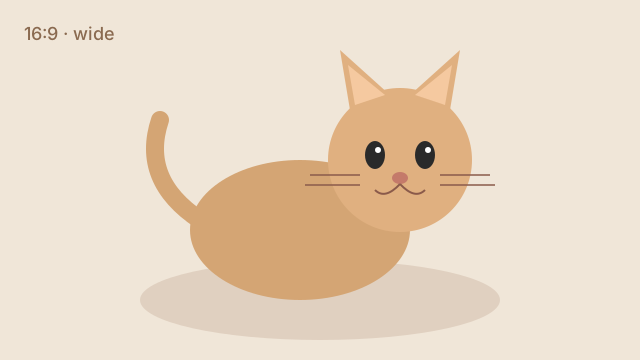 Source 16∶9 · cover
 Source 3∶4 · cover
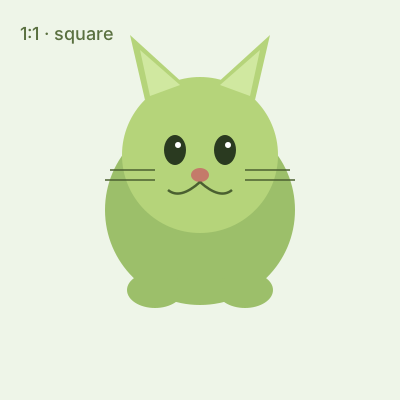 Source 1∶1 · cover
Hypermedia slide
Adopt Mochi
Same stage as media — CTA and live region ride the strip, not a separate admin card.
Slide 1 of 4
Loop + autoplay — data-carousel-wrap="loop" · data-carousel-interval="3000". Advances every 3s; pauses while the pointer is over this strip; off under prefers-reduced-motion (status says so).
Slide 1 of 3
<div class="stack" data-gap="lg">
  <div>
    <p class="hm-demo-muted" style="margin:0 0 var(--space-sm);font-size:var(--text-xs)"><strong>Clamp</strong> — ends disable. Media fills the stage (<code>object-fit: cover</code>); chips name the source aspect. Last slide is a hero overlay (hypermedia in the same visual language).</p>
    <div class="carousel" data-carousel data-carousel-index="0" data-carousel-wrap="none" data-size="lg" aria-roledescription="carousel" aria-label="Cat gallery">
      <div class="carousel__viewport" data-ratio="16/9">
        <div class="carousel__track">
          <div class="carousel__slide carousel__slide--media" data-active>
            <div class="carousel__media"><img src="media/carousel/cat-wide.svg" width="640" height="360" alt="Landscape cat illustration"><span class="carousel__chip">Source 16∶9 · cover</span></div>
          </div>
          <div class="carousel__slide carousel__slide--media">
            <div class="carousel__media"><img src="media/carousel/cat-tall.svg" width="300" height="400" alt="Portrait cat illustration"><span class="carousel__chip">Source 3∶4 · cover</span></div>
          </div>
          <div class="carousel__slide carousel__slide--media">
            <div class="carousel__media"><img src="media/carousel/cat-square.svg" width="400" height="400" alt="Square cat illustration"><span class="carousel__chip">Source 1∶1 · cover</span></div>
          </div>
          <div class="carousel__slide carousel__slide--hero">
            <div class="carousel__media"><img src="media/carousel/cat-wide.svg" width="640" height="360" alt=""></div>
            <div class="carousel__hero">
              <p class="carousel__hero-kicker">Hypermedia slide</p>
              <p class="carousel__hero-title">Adopt Mochi</p>
              <p class="carousel__hero-text">Same stage as media — CTA and live region ride the strip, not a separate admin card.</p>
              <button type="button" class="button" data-variant="primary" hx-get="/mock/carousel/adopt" hx-target="#hm-carousel-adopt" hx-swap="innerHTML">Request visit</button>
              <div id="hm-carousel-adopt" class="carousel__hero-live" aria-live="polite"></div>
            </div>
          </div>
        </div>
      </div>
      <div class="carousel__controls">
        <button type="button" class="carousel__btn" data-carousel-prev aria-label="Previous slide" disabled>‹</button>
        <div class="carousel__dots" role="group" aria-label="Slides"><button type="button" class="carousel__dot" aria-current="true" aria-label="Slide 1, landscape"></button><button type="button" class="carousel__dot" aria-label="Slide 2, portrait"></button><button type="button" class="carousel__dot" aria-label="Slide 3, square"></button><button type="button" class="carousel__dot" aria-label="Slide 4, adopt call to action"></button></div>
        <button type="button" class="carousel__btn" data-carousel-next aria-label="Next slide">›</button>
      </div>
      <p class="carousel__status" data-carousel-status aria-live="polite">Slide 1 of 4</p>
    </div>
  </div>
  <div>
    <p class="hm-demo-muted" style="margin:0 0 var(--space-sm);font-size:var(--text-xs)"><strong>Loop + autoplay</strong> — <code>data-carousel-wrap="loop"</code> · <code>data-carousel-interval="3000"</code>. Advances every 3s; pauses while the pointer is over this strip; off under <code>prefers-reduced-motion</code> (status says so).</p>
    <div class="carousel" id="hm-carousel-ambient" data-carousel data-carousel-index="0" data-carousel-wrap="loop" data-carousel-interval="3000" data-size="lg" aria-roledescription="carousel" aria-label="Ambient cat loop">
      <div class="carousel__viewport" data-ratio="16/9">
        <div class="carousel__track">
          <div class="carousel__slide carousel__slide--media" data-active>
            <div class="carousel__media"><img src="media/carousel/cat-wide.svg" width="640" height="360" alt="Ambient slide 1, landscape cat"></div>
          </div>
          <div class="carousel__slide carousel__slide--media">
            <div class="carousel__media"><img src="media/carousel/cat-tall.svg" width="300" height="400" alt="Ambient slide 2, portrait cat"></div>
          </div>
          <div class="carousel__slide carousel__slide--media">
            <div class="carousel__media"><img src="media/carousel/cat-square.svg" width="400" height="400" alt="Ambient slide 3, square cat"></div>
          </div>
        </div>
      </div>
      <div class="carousel__controls">
        <button type="button" class="carousel__btn" data-carousel-prev aria-label="Previous ambient slide">‹</button>
        <div class="carousel__dots" role="group" aria-label="Ambient slides"><button type="button" class="carousel__dot" aria-current="true" aria-label="Ambient slide 1"></button><button type="button" class="carousel__dot" aria-label="Ambient slide 2"></button><button type="button" class="carousel__dot" aria-label="Ambient slide 3"></button></div>
        <button type="button" class="carousel__btn" data-carousel-next aria-label="Next ambient slide">›</button>
      </div>
      <p class="carousel__status" data-carousel-status aria-live="polite">Slide 1 of 3</p>
    </div>
  </div>
</div>Bubble media
Chat bubble shell — rounded content for inbound/outbound speech. Compose inside message rows.
Can we reschedule the walkthrough to Thursday?
Thursday 14:00 works — I'll send a calendar hold.
<div class="hm-demo-row" style="gap:1rem;flex-wrap:wrap;align-items:flex-end">
  <div class="bubble" data-bubble data-from="in">
    <p>Can we reschedule the walkthrough to Thursday?</p>
  </div>
  <div class="bubble" data-bubble data-from="out">
    <p>Thursday 14:00 works — I'll send a calendar hold.</p>
  </div>
</div>Message media
Chat message row — media + author/time meta + bubble. Outbound rows reverse with data-from=out.
<div class="hm-stack" style="gap:0.75rem;max-width:28rem">
  <div class="message" data-message data-from="in">
    <span class="message__media" aria-hidden="true">MR</span>
    <div class="message__body">
      <div class="message__meta"><span class="message__author">Maya Reyes</span><time class="message__time" datetime="2026-07-12T10:02">10:02</time></div>
      <div class="bubble" data-bubble data-from="in">
        <p>Can we reschedule the walkthrough to Thursday?</p>
      </div>
    </div>
  </div>
  <div class="message" data-message data-from="out">
    <span class="message__media" aria-hidden="true">You</span>
    <div class="message__body">
      <div class="message__meta"><span class="message__author">You</span><time class="message__time" datetime="2026-07-12T10:04">10:04</time></div>
      <div class="bubble" data-bubble data-from="out">
        <p>Thursday 14:00 works — I'll send a calendar hold.</p>
      </div>
    </div>
  </div>
</div>Message scroller media
Chat transcript viewport — scrollable stack of message rows. Document order is chronological (newest last).
<div class="message-scroller" data-message-scroller role="log" aria-label="Conversation" aria-live="polite" tabindex="0">
  <div class="message" data-message data-from="in">
    <span class="message__media" aria-hidden="true">MR</span>
    <div class="message__body">
      <div class="message__meta"><span class="message__author">Maya Reyes</span><time class="message__time" datetime="2026-07-12T10:02">10:02</time></div>
      <div class="bubble" data-bubble data-from="in">
        <p>Can we reschedule the walkthrough to Thursday?</p>
      </div>
    </div>
  </div>
  <div class="message" data-message data-from="out">
    <span class="message__media" aria-hidden="true">You</span>
    <div class="message__body">
      <div class="message__meta"><span class="message__author">You</span><time class="message__time" datetime="2026-07-12T10:04">10:04</time></div>
      <div class="bubble" data-bubble data-from="out">
        <p>Thursday 14:00 works — I'll send a calendar hold.</p>
      </div>
    </div>
  </div>
  <div class="message" data-message data-from="in">
    <span class="message__media" aria-hidden="true">MR</span>
    <div class="message__body">
      <div class="message__meta"><span class="message__author">Maya Reyes</span><time class="message__time" datetime="2026-07-12T10:05">10:05</time></div>
      <div class="bubble" data-bubble data-from="in">
        <p>Perfect — see you then.</p>
      </div>
    </div>
  </div>
</div>Marker media
Map pin chrome + optional label — host owns map projection / placement.
<div class="hm-demo-row" style="gap:2rem;align-items:flex-end;padding:1.5rem;background:var(--colour-surface-muted);border-radius:var(--radius-md)">
  <span class="marker" data-marker><span class="marker__pin" aria-hidden="true"></span><span class="marker__label">HQ</span></span>
  <span class="marker" data-marker data-tone="success" data-size="lg"><span class="marker__pin" aria-hidden="true"></span><span class="marker__label">Depot</span></span>
  <span class="marker" data-marker data-tone="danger"><span class="marker__pin" aria-hidden="true"></span><span class="marker__label">Alert</span></span>
</div>Breadcrumb
CSS-generated chevrons; clean list markup.
<nav class="breadcrumb" aria-label="Breadcrumb">
  <ol>
    <li><a href="#">Home</a></li>
    <li><a href="#">Invoices</a></li>
    <li aria-current="page">INV-0042</li>
  </ol>
</nav>Accordion interactive
Native <details> group; single-open via the HTML name= attribute — opening one closes its siblings, zero JS.
What is a Hyperpart?
Do I need a client framework?
Can two panels be open at once?
<div class="accordion">
  <details class="accordion__item" name="hm-acc" open>
    <summary class="accordion__trigger">What is a Hyperpart?</summary>
    <div class="accordion__panel">A server-rendered partial plus its exchange contract — the htmx-native unit of reuse.</div>
  </details>
  <details class="accordion__item" name="hm-acc">
    <summary class="accordion__trigger">Do I need a client framework?</summary>
    <div class="accordion__panel">No — state lives on the server and htmx swaps the markup.</div>
  </details>
  <details class="accordion__item" name="hm-acc">
    <summary class="accordion__trigger">Can two panels be open at once?</summary>
    <div class="accordion__panel">Not while they share a name=. Drop the attribute for an independent, multi-open group.</div>
  </details>
</div>Tabs interactive
A lazy tab strip — an honest link-strip (buttons + aria-current, no unkept role=tablist). Each panel hx-gets its content the first time it is shown.
Active on the Pro plan, renewing 1 August.
<!-- icons: include the icon sheet once per page (see the Setup section, #setup) -->
<div class="tabs" data-tabs>
  <div class="tabs__list"><button type="button" class="tabs__tab" aria-current="true" data-tab-target="hm-tab-overview">Overview</button><button type="button" class="tabs__tab" data-tab-target="hm-tab-activity">Activity</button><button type="button" class="tabs__tab" data-tab-target="hm-tab-settings">Settings</button></div>
  <div id="hm-tab-overview" class="tabs__panel">
    <p class="hm-demo-muted">Active on the Pro plan, renewing 1 August.</p>
  </div>
  <div id="hm-tab-activity" class="tabs__panel" hidden hx-get="/mock/tabs/activity" hx-trigger="intersect once" hx-swap="innerHTML">
    <div class="tabs__loading"><svg class="icon" aria-hidden="true"><use href="#i-loader-circle"/></svg></div>
  </div>
  <div id="hm-tab-settings" class="tabs__panel" hidden hx-get="/mock/tabs/settings" hx-trigger="intersect once" hx-swap="innerHTML">
    <div class="tabs__loading"><svg class="icon" aria-hidden="true"><use href="#i-loader-circle"/></svg></div>
  </div>
</div>Avatar
Initials or image; stacked groups.
<div class="hm-demo-row">
  <span class="avatar-group"><span class="avatar">JD</span><span class="avatar">AK</span><span class="avatar">+3</span></span>
  <span class="avatar" data-size="lg">HM</span>
</div>Progress
Toned determinate bar.
<div class="hm-stack hm-measure">
  <div class="progress" role="progressbar" aria-label="Storage used" aria-valuenow="62" aria-valuemin="0" aria-valuemax="100">
    <div class="progress__bar" style="--progress-value:62%"></div>
  </div>
  <div class="progress" data-tone="success" role="progressbar" aria-label="Upload progress" aria-valuenow="100" aria-valuemin="0" aria-valuemax="100">
    <div class="progress__bar" style="--progress-value:100%"></div>
  </div>
</div>Skeleton
Loading placeholder with a lifecycle-driven sheen (TASTE-9) — drop it into a swap target while the request is in flight.
<div class="card card-body hm-measure hm-stack" aria-hidden="true" data-skeleton>
  <div class="hm-demo-row">
    <div class="skeleton" data-shape="circle"></div>
    <div class="hm-grow hm-stack">
      <div class="skeleton" data-shape="text"></div>
      <div class="skeleton" data-shape="text"></div>
    </div>
  </div>
  <div class="skeleton" data-shape="block"></div>
</div>Empty state
Icon + one sentence + primary action — never a bare 'No X'.
<!-- icons: include the icon sheet once per page (see the Setup section, #setup) -->
<div class="card card-body hm-measure">
  <div class="empty-state" data-empty-state>
    <span class="empty-state__icon"><svg class="icon" aria-hidden="true"><use href="#i-inbox"/></svg></span>
    <h3 class="empty-state__title">No invoices yet</h3>
    <p class="empty-state__description">Create your first invoice to get started.</p>
    <div class="empty-state__action"><a class="button" data-variant="primary" href="#">New Invoice</a></div>
  </div>
</div>Code block docs
Fenced code surface with optional language chip and copy control — server-emitted chrome for docs and samples. Syntax colour is build-time token spans (Python), not a browser highlighter.
def greet(name: str) -> str:
    """Return a friendly hello."""
    return f"Hello, {name}"
<figure class="code" data-code data-language="python">
  <div class="code__meta"><span class="code__lang">python</span><button type="button" class="code__copy" data-code-copy aria-label="Copy code to clipboard"><span class="code__copy-idle">Copy</span><span class="code__copy-done">Copied</span></button></div>
  <pre class="code__pre" tabindex="0" role="region" aria-label="Python example"><code class="code__source">def greet(name: str) -> str:
    """Return a friendly hello."""
    return f"Hello, {name}"
</code></pre>
</figure>Toolbar composite
Inline composition — real button, toggle-group and menu markup nested in a role=toolbar bar. No client tree, no props: composition is HTML.
<!-- icons: include the icon sheet once per page (see the Setup section, #setup) -->
<div class="toolbar" role="toolbar" aria-label="Editor actions">
  <button class="button" data-variant="primary"><svg class="icon icon--size-sm" aria-hidden="true"><use href="#i-circle-plus"/></svg> New</button>
  <div class="toggle-group" role="radiogroup" aria-label="View">
    <label><input type="radio" name="tb-view" checked><span>List</span></label>
    <label><input type="radio" name="tb-view"><span>Grid</span></label>
  </div>
  <details class="menu">
    <summary class="button" data-variant="outline">More</summary>
    <div class="menu__panel"><button class="menu__item"><svg class="icon icon--size-sm" aria-hidden="true"><use href="#i-copy"/></svg> Duplicate</button><button class="menu__item" data-tone="destructive"><svg class="icon icon--size-sm" aria-hidden="true"><use href="#i-trash-2"/></svg> Delete</button></div>
  </details>
</div>Master–detail composite
Exchange composition — a list item hx-gets its detail card into the detail pane. The canonical htmx composite; two can coexist on a page.
<div class="master-detail" data-master-detail>
  <ul class="master-detail__list" aria-label="Invoices" data-master-detail-list-body>
    <li><a class="master-detail__item" href="#" aria-current="true" hx-get="/mock/master-detail/inv-001" hx-target="next .master-detail__detail">INV-001 · Acme</a></li>
    <li><a class="master-detail__item" href="#" hx-get="/mock/master-detail/inv-002" hx-target="next .master-detail__detail">INV-002 · Globex</a></li>
    <li><a class="master-detail__item" href="#" hx-get="/mock/master-detail/inv-003" hx-target="next .master-detail__detail">INV-003 · Initech</a></li>
  </ul>
  <div class="master-detail__detail" data-master-detail-detail-body>
    <div class="card card-body">
      <div class="card-label">INV-001 · Acme</div>
      <div class="card-value">£1,250.00</div>
      <div class="card-delta">Paid · 2 days ago</div>
    </div>
  </div>
</div>Stack layout
Vertical rhythm: children flow top-to-bottom with one gap token. The workhorse — most page sections are a stack of stacks.
<div class="stack" data-gap="md">
  <div class="hm-demo-box">One</div>
  <div class="hm-demo-box">Two</div>
  <div class="hm-demo-box">Three</div>
</div>Cluster layout
A wrapping horizontal group — buttons, chips, metadata rows. Items keep their size and wrap when the line runs out.
<div class="cluster" data-gap="sm"><button class="button" data-variant="primary">Save</button><button class="button" data-variant="outline">Cancel</button><span class="badge" data-tone="neutral">Draft</span></div>Sidebar layout
Two panes: a fixed-ish side and a fluid content pane that wraps UNDER the side when it would get too narrow — responsive without a media query.
<div class="sidebar-layout" style="--sidebar-width: 12rem">
  <div class="hm-demo-box">Side (12rem)</div>
  <div class="hm-demo-box">Content — wraps under the side when narrower than its minimum comfortable width.</div>
</div>Auto grid layout
A responsive card grid with no breakpoints: columns pack to fit, each at least the minimum width, all equal.
<div class="auto-grid" style="--grid-min: 9rem">
  <div class="hm-demo-box">A</div>
  <div class="hm-demo-box">B</div>
  <div class="hm-demo-box">C</div>
  <div class="hm-demo-box">D</div>
  <div class="hm-demo-box">E</div>
</div>Center layout
A measure-capped, centred column — reading width for prose and forms.
A comfortable reading measure tops out around 65 characters; this block centres itself and caps its width so lines stay scannable on any screen.
<div class="center" data-measure="prose">
  <p class="hm-demo-muted">A comfortable reading measure tops out around 65 characters; this block centres itself and caps its width so lines stay scannable on any screen.</p>
</div>App shell composite
The SaaS/admin application frame: persistent left navigation, an optional sticky top bar, a routed main workspace, and a responsive/collapsible sidebar whose state the server renders.
<!-- icons: include the icon sheet once per page (see the Setup section, #setup) -->
<div class="app-shell" data-sidebar="open">
  <aside class="app-sidebar" id="app-sidebar">
    <div class="sidebar">
      <div class="sidebar-brand"><span class="sidebar-brand-text">Acme Ops</span></div>
      <nav class="sidebar-nav" aria-label="Primary">
        <ul class="sidebar-nav-list">
          <li><a class="sidebar-nav-link" aria-current="page" href="#"><span class="sidebar-nav-icon"><svg class="icon" aria-hidden="true"><use href="#i-layout-dashboard"/></svg></span><span class="sidebar-nav-label">Dashboard</span></a></li>
          <li><a class="sidebar-nav-link" href="#"><span class="sidebar-nav-icon"><svg class="icon" aria-hidden="true"><use href="#i-receipt"/></svg></span><span class="sidebar-nav-label">Invoices</span></a></li>
        </ul>
      </nav>
    </div>
  </aside>
  <div class="app-content">
    <header class="app-header">
      <div class="topbar">
        <div class="topbar-leading"><button type="button" class="sidebar-toggle" data-sidebar-toggle aria-expanded="true" aria-controls="app-sidebar" aria-label="Toggle navigation"><span class="sidebar-toggle__icon" aria-hidden="true"></span></button></div>
        <div class="topbar-title"><span class="topbar-title-text">Dashboard</span></div>
        <div class="topbar-trailing"><button type="button" class="icon-button" aria-label="Notifications"><svg class="icon" aria-hidden="true"><use href="#i-triangle-alert"/></svg></button></div>
      </div>
    </header>
    <div class="app-main">
      <p class="hm-demo-muted">The routed workspace. The hamburger collapses the sidebar; the state persists via a cookie so the server renders it correctly on the next request.</p>
    </div>
  </div>
</div>Status list data
System / check states as an icon + title + caption list — tone rides data-state per row, never colour alone.
- positivePayments APIOperational · 99.99% this month
- warningWebhooksElevated retries since 09:20
- Nightly exportScheduled 02:00
<!-- icons: include the icon sheet once per page (see the Setup section, #setup) -->
<div class="status-list-region hm-measure-lg">
  <ul class="status-list" data-entry-count="3">
    <li class="status-list-entry" data-status-entry data-state="positive">
      <span class="status-list-icon" aria-hidden="true"><svg class="icon" aria-hidden="true"><use href="#i-circle-check"/></svg></span>
      <div class="status-list-text">
        <div class="status-list-title">Payments API</div>
        <div class="status-list-caption">Operational · 99.99% this month</div>
      </div>
      <span class="status-list-pill">positive</span>
    </li>
    <li class="status-list-entry" data-status-entry data-state="warning">
      <span class="status-list-icon" aria-hidden="true"><svg class="icon" aria-hidden="true"><use href="#i-triangle-alert"/></svg></span>
      <div class="status-list-text">
        <div class="status-list-title">Webhooks</div>
        <div class="status-list-caption">Elevated retries since 09:20</div>
      </div>
      <span class="status-list-pill">warning</span>
    </li>
    <li class="status-list-entry" data-status-entry data-state="neutral">
      <span class="status-list-icon-spacer" aria-hidden="true"></span>
      <div class="status-list-text">
        <div class="status-list-title">Nightly export</div>
        <div class="status-list-caption">Scheduled 02:00</div>
      </div>
    </li>
  </ul>
</div>Action grid data
Tone-tinted CTA cards with a count badge — the dashboard's 'what needs doing' surface. Cards with a URL are anchors; the grid packs intrinsically.
<!-- icons: include the icon sheet once per page (see the Setup section, #setup) -->
<div class="action-grid-region">
  <div class="action-grid">
    <a class="action-card" data-action-card data-tone="warning" href="#">
      <div class="action-card-row"><span class="action-card-icon"><svg class="icon" aria-hidden="true"><use href="#i-triangle-alert"/></svg></span><span class="action-card-count" data-tone-badge="warning">3</span></div>
      <span class="action-card-label">Overdue invoices</span>
    </a>
    <a class="action-card" data-action-card data-tone="accent" href="#">
      <div class="action-card-row"><span class="action-card-icon"><svg class="icon" aria-hidden="true"><use href="#i-receipt"/></svg></span><span class="action-card-count" data-tone-badge="accent">12</span></div>
      <span class="action-card-label">Awaiting approval</span>
    </a>
    <div class="action-card" data-action-card data-tone="neutral">
      <div class="action-card-row"><span class="action-card-icon-spacer"></span></div>
      <span class="action-card-label">Nothing else today</span>
    </div>
  </div>
</div>Queue data
The worklist: a count, roll-up metrics, and attention-flagged rows — the triage surface for SLA-driven work.
SLA breaches at 16:00 — assign now.
2h left<div class="queue-region hm-measure-lg">
<div class="queue-count-row"><span class="queue-count">7</span><span>open items</span></div>
<div class="queue-metrics">
<div class="queue-metric">
<div class="queue-metric-value">2</div>
<div class="queue-metric-label">breaching today</div>
</div>
<div class="queue-metric">
<div class="queue-metric-value">4h</div>
<div class="queue-metric-label">median age</div>
</div>
</div>
<div class="queue-rows">
<div class="queue-row attn-both attn-tone-critical" data-queue-row data-attn="critical">
<div class="queue-row-main ">
<div class="queue-row-headline"><span class="queue-row-title">Refund request — Acme</span></div>
<p class="queue-row-attn">SLA breaches at 16:00 — assign now.</p>
<span class="queue-row-date">2h left</span>
</div>
</div>
<div class="queue-row " data-queue-row>
<div class="queue-row-main ">
<div class="queue-row-headline"><span class="queue-row-title">KYC review — Globex</span></div>
<span class="queue-row-date">due tomorrow</span>
</div>
</div>
</div>
</div>Kanban data
Status columns of cards — the flow view. Columns show a count; overflowing boards offer a server-rendered Load-all.
Refund request — Acme
£1,250 · assigned to Ada
SLA breaches at 16:00
KYC review — Globex
due tomorrow
Chargeback — Initech
evidence uploaded
Nothing here yet.
<!-- icons: include the icon sheet once per page (see the Setup section, #setup) -->
<div class="kanban-board" role="region" aria-label="Kanban board" tabindex="0" data-kanban-board data-kanban-rearrange="status" data-kanban-status-field="status" data-kanban-api="/mock/kanban" data-kanban-src="/mock/kanban/board" data-kanban-rank-field="rank">
  <div class="kanban-announce" data-kanban-announce aria-live="polite" aria-atomic="true"></div>
  <div class="kanban-column">
    <div class="kanban-column-head"><span class="badge" data-tone="neutral">Open</span><span class="kanban-column-count">2</span></div>
    <div class="kanban-stack" data-kanban-stack data-to-state="open">
      <div class="kanban-card" data-kanban-card id="kanban-card-k1" data-entity-id="k1" data-from-state="open" data-rank="1000" data-allowed-to="in_progress done" draggable="true">
        <div class="kanban-card-body">
          <h4 class="kanban-card-title">Refund request — Acme</h4>
          <p class="kanban-card-field">£1,250 · assigned to Ada</p>
          <p class="kanban-card-attn" data-attn="critical">SLA breaches at 16:00</p>
          <div class="kanban-card-move">
            <label>
              <span class="visually-hidden">Move card</span>
              <select data-kanban-move aria-label="Move Refund request — Acme">
                <option value="">Move to…</option>
                <option value="in_progress">In Progress</option>
                <option value="done">Done</option>
              </select>
            </label>
          </div>
        </div>
      </div>
      <div class="kanban-card" data-kanban-card id="kanban-card-k2" data-entity-id="k2" data-from-state="open" data-rank="2000" data-allowed-to="in_progress" draggable="true">
        <div class="kanban-card-body">
          <h4 class="kanban-card-title">KYC review — Globex</h4>
          <p class="kanban-card-field">due tomorrow</p>
          <div class="kanban-card-move">
            <label>
              <span class="visually-hidden">Move card</span>
              <select data-kanban-move aria-label="Move KYC review — Globex">
                <option value="">Move to…</option>
                <option value="in_progress">In Progress</option>
              </select>
            </label>
          </div>
        </div>
      </div>
    </div>
  </div>
  <div class="kanban-column">
    <div class="kanban-column-head"><span class="badge" data-tone="info">In progress</span><span class="kanban-column-count">1</span></div>
    <div class="kanban-stack" data-kanban-stack data-to-state="in_progress">
      <div class="kanban-card" data-kanban-card id="kanban-card-k3" data-entity-id="k3" data-from-state="in_progress" data-rank="1000" data-allowed-to="done open" draggable="true">
        <div class="kanban-card-body">
          <h4 class="kanban-card-title">Chargeback — Initech</h4>
          <p class="kanban-card-field">evidence uploaded</p>
          <div class="kanban-card-move">
            <label>
              <span class="visually-hidden">Move card</span>
              <select data-kanban-move aria-label="Move Chargeback — Initech">
                <option value="">Move to…</option>
                <option value="done">Done</option>
                <option value="open">Open</option>
              </select>
            </label>
          </div>
        </div>
      </div>
    </div>
  </div>
  <div class="kanban-column">
    <div class="kanban-column-head"><span class="badge" data-tone="success"><span class="badge-icon"><svg class="icon" aria-hidden="true"><use href="#i-circle-check"/></svg></span>Done</span><span class="kanban-column-count">0</span></div>
    <div class="kanban-stack" data-kanban-stack data-to-state="done">
      <p class="kanban-empty">Nothing here yet.</p>
    </div>
  </div>
</div>Timeline data
Dated events on a vertical line — bullets carry the attention contract, dates keep a fixed column so titles align.
- Today
Payment failed — retry scheduled
Card declined (insufficient funds)
- Mon
Invoice sent
<div class="timeline-region hm-measure-lg">
  <ul class="timeline-list">
    <li class="timeline-item" data-timeline-item>
      <span class="timeline-bullet-wrap"><svg class="timeline-bullet attn-bullet attn-tone-critical" fill="currentColor" viewBox="0 0 20 20" aria-hidden="true"><circle cx="10" cy="10" r="6"/></svg></span>
      <div class="timeline-row">
        <div class="timeline-date">Today</div>
        <div class="timeline-content">
          <p class="timeline-title">Payment failed — retry scheduled</p>
          <p class="timeline-field">Card declined (insufficient funds)</p>
        </div>
      </div>
    </li>
    <li class="timeline-item" data-timeline-item>
      <span class="timeline-bullet-wrap"><svg class="timeline-bullet attn-bullet attn-tone-default" fill="currentColor" viewBox="0 0 20 20" aria-hidden="true"><circle cx="10" cy="10" r="6"/></svg></span>
      <div class="timeline-row">
        <div class="timeline-date">Mon</div>
        <div class="timeline-content">
          <p class="timeline-title">Invoice sent</p>
        </div>
      </div>
    </li>
  </ul>
</div>Activity feed data
Who-did-what rows on a dotted spine — actor, time, and a message bubble.
- 09:41Ada approved the refund.
- 09:12System flagged the account for review.
<div class="hm-measure-lg">
  <ul class="activity-feed">
    <li class="activity-row" data-activity-row>
      <span class="activity-dot"><svg fill="currentColor" viewBox="0 0 20 20" aria-hidden="true"><circle cx="10" cy="10" r="6"/></svg></span>
      <div class="activity-row-inner">
        <div class="activity-time">09:41</div>
        <div class="activity-bubble"><span class="activity-actor">Ada</span> approved the refund.</div>
      </div>
    </li>
    <li class="activity-row" data-activity-row>
      <span class="activity-dot"><svg fill="currentColor" viewBox="0 0 20 20" aria-hidden="true"><circle cx="10" cy="10" r="6"/></svg></span>
      <div class="activity-row-inner">
        <div class="activity-time">09:12</div>
        <div class="activity-bubble"><span class="activity-actor">System</span> flagged the account for review.</div>
      </div>
    </li>
  </ul>
</div>Metric tiles data
The KPI strip: label + value tiles in a packing grid, optionally toned. The server stamps the tile count for e2e anchors.
<div class="metrics-grid" data-tile-count="3">
  <div class="metric-tile" data-metric-key="outstanding">
    <div class="metric-label">Outstanding</div>
    <div class="metric-value">£12,450</div>
  </div>
  <div class="metric-tile" data-metric-key="paid" data-tone="positive">
    <div class="metric-label">Paid this month</div>
    <div class="metric-value">£48,900</div>
  </div>
  <div class="metric-tile" data-metric-key="overdue" data-tone="warning">
    <div class="metric-label">Overdue</div>
    <div class="metric-value">3</div>
  </div>
</div>Sparkline data
A headline number with its recent shape — the smallest chart: a current value, its bucket label, and an area glyph.
<div class="sparkline-region" data-sparkline>
  <div class="sparkline-headline"><span class="sparkline-value">184ms</span><span class="sparkline-bucket-label">this hour</span></div>
  <svg xmlns="http://www.w3.org/2000/svg" viewBox="0 0 180 32" preserveAspectRatio="none" class="sparkline-svg" role="img" aria-label="Sparkline — 12 points, latest 184ms, peak 240ms"><polygon points="0,32 0,20 18,18 36,22 54,14 72,16 90,10 108,12 126,8 144,14 162,6 180,9 180,32" fill="var(--colour-brand)" fill-opacity="0.15" stroke="none"/><polyline points="0,20 18,18 36,22 54,14 72,16 90,10 108,12 126,8 144,14 162,6 180,9" fill="none" stroke="var(--colour-brand)" stroke-width="1.25" vector-effect="non-scaling-stroke" stroke-linejoin="round" stroke-linecap="round"/></svg>
</div>Funnel data
Stage-by-stage narrowing — each bar's width is the stage's share, with a total summary line.
1,204 total
<div class="funnel-chart-region hm-measure-lg" data-funnel>
  <div class="funnel-stages">
    <div class="funnel-stage-row">
      <div class="funnel-stage" data-funnel-step="0" style="width: 100%;"><span class="funnel-stage-label">Visited</span><span class="funnel-stage-count"> (1,204)</span></div>
    </div>
    <div class="funnel-stage-row">
      <div class="funnel-stage" data-funnel-step="1" style="width: 62%;"><span class="funnel-stage-label">Signed up</span><span class="funnel-stage-count"> (746)</span></div>
    </div>
    <div class="funnel-stage-row">
      <div class="funnel-stage" data-funnel-step="2" style="width: 28%;"><span class="funnel-stage-label">Subscribed</span><span class="funnel-stage-count"> (338)</span></div>
    </div>
  </div>
  <p class="funnel-summary">1,204 total</p>
</div>Bar chart data
Label / track / value rows — the workhorse categorical chart, server-computed and scope-safe.
<div class="bar-chart-region hm-measure-lg" data-bar-chart>
  <div class="bar-chart-bars">
    <div class="bar-chart-row">
      <span class="bar-chart-label">API</span>
      <div class="bar-chart-track">
        <div class="bar-chart-fill" style="width: 84%"></div>
      </div>
      <span class="bar-chart-value">126</span>
    </div>
    <div class="bar-chart-row">
      <span class="bar-chart-label">Dashboard</span>
      <div class="bar-chart-track">
        <div class="bar-chart-fill" style="width: 56%"></div>
      </div>
      <span class="bar-chart-value">84</span>
    </div>
    <div class="bar-chart-row">
      <span class="bar-chart-label">Billing</span>
      <div class="bar-chart-track">
        <div class="bar-chart-fill" style="width: 23%"></div>
      </div>
      <span class="bar-chart-value">35</span>
    </div>
  </div>
</div>Chart legend data
The shared tail of every multi-series chart: swatch + series-name chips and a sample/series summary line.
- Revenue
- Costs
12 buckets · 2 series · peak £48,900
<div class="hm-measure-lg">
  <ul class="chart-legend">
    <li class="chart-legend-item"><span class="chart-legend-swatch" style="background:var(--colour-brand)"></span><span class="chart-legend-name">Revenue</span></li>
    <li class="chart-legend-item"><span class="chart-legend-swatch" style="background:var(--colour-success)"></span><span class="chart-legend-name">Costs</span></li>
  </ul>
  <p class="chart-summary">12 buckets · 2 series · peak £48,900</p>
</div>Radar data
Polar multi-axis profile — spokes share a scale; the polygon is server-rendered SVG.
5 spokes · 1 series · peak 90
<div class="radar-region hm-measure-lg" data-radar>
  <svg xmlns="http://www.w3.org/2000/svg" viewBox="0 0 320 320" class="radar-svg chart-svg" role="img" aria-label="Coverage radar — 5 spokes, peak 90">
    <polygon points="160.0,128.0 190.43380852144492,150.11145618000168 178.80912807335915,185.88854381999832 141.19087192664085,185.88854381999832 129.56619147855508,150.11145618000168" fill="none" stroke="var(--colour-border)" stroke-width="0.5" stroke-opacity="0.6"/>
    <polygon points="160.0,96.0 220.86761704288983,140.22291236000336 197.6182561467183,211.77708763999664 122.38174385328173,211.77708763999664 99.13238295711017,140.22291236000336" fill="none" stroke="var(--colour-border)" stroke-width="0.5" stroke-opacity="0.6"/>
    <polygon points="160.0,64.0 251.30142556433475,130.33436854000504 216.4273842200774,237.66563145999496 103.57261577992259,237.66563145999496 68.69857443566525,130.33436854000507" fill="none" stroke="var(--colour-border)" stroke-width="0.5" stroke-opacity="0.6"/>
    <polygon points="160.0,32.0 281.73523408577967,120.44582472000673 235.23651229343656,263.5541752799933 84.76348770656345,263.5541752799933 38.264765914220334,120.44582472000675" fill="none" stroke="var(--colour-border)" stroke-width="0.5" stroke-opacity="0.6"/>
    <line x1="160.0" y1="160.0" x2="160.0" y2="32.0" stroke="var(--colour-border)" stroke-width="0.5" stroke-opacity="0.7"/>
    <line x1="160.0" y1="160.0" x2="281.73523408577967" y2="120.44582472000673" stroke="var(--colour-border)" stroke-width="0.5" stroke-opacity="0.7"/>
    <line x1="160.0" y1="160.0" x2="235.23651229343656" y2="263.5541752799933" stroke="var(--colour-border)" stroke-width="0.5" stroke-opacity="0.7"/>
    <line x1="160.0" y1="160.0" x2="84.76348770656345" y2="263.5541752799933" stroke="var(--colour-border)" stroke-width="0.5" stroke-opacity="0.7"/>
    <line x1="160.0" y1="160.0" x2="38.264765914220334" y2="120.44582472000675" stroke="var(--colour-border)" stroke-width="0.5" stroke-opacity="0.7"/>
    <polygon points="160.0,46.22222222222223 247.91989128417418,131.43309563111598 235.23651229343656,263.5541752799933 101.48271266066047,240.54213632888366 85.60624583646798,135.82800399555967" fill="var(--colour-brand)" fill-opacity="0.15" stroke="var(--colour-brand)" stroke-width="1.5" stroke-linejoin="round"/>
    <circle cx="160.0" cy="46.22222222222223" r="3" fill="var(--colour-brand)" stroke="var(--colour-surface)" stroke-width="1">
      <title>Auth value: 80</title>
    </circle>
    <circle cx="247.91989128417418" cy="131.43309563111598" r="3" fill="var(--colour-brand)" stroke="var(--colour-surface)" stroke-width="1">
      <title>API value: 65</title>
    </circle>
    <circle cx="235.23651229343656" cy="263.5541752799933" r="3" fill="var(--colour-brand)" stroke="var(--colour-surface)" stroke-width="1">
      <title>UI value: 90</title>
    </circle>
    <circle cx="101.48271266066047" cy="240.54213632888366" r="3" fill="var(--colour-brand)" stroke="var(--colour-surface)" stroke-width="1">
      <title>Data value: 70</title>
    </circle>
    <circle cx="85.60624583646798" cy="135.82800399555967" r="3" fill="var(--colour-brand)" stroke="var(--colour-surface)" stroke-width="1">
      <title>Ops value: 55</title>
    </circle>
    <text x="160.0" y="18.0" text-anchor="middle" dominant-baseline="middle" font-size="10" fill="var(--colour-text)" font-family="ui-monospace, 'SF Mono', Menlo, monospace">Auth</text>
    <text x="295.05002531391176" y="116.11958679875747" text-anchor="middle" dominant-baseline="middle" font-size="10" fill="var(--colour-text)" font-family="ui-monospace, 'SF Mono', Menlo, monospace">API</text>
    <text x="243.46550582553118" y="274.8804132012425" text-anchor="middle" dominant-baseline="middle" font-size="10" fill="var(--colour-text)" font-family="ui-monospace, 'SF Mono', Menlo, monospace">UI</text>
    <text x="76.53449417446883" y="274.8804132012425" text-anchor="middle" dominant-baseline="middle" font-size="10" fill="var(--colour-text)" font-family="ui-monospace, 'SF Mono', Menlo, monospace">Data</text>
    <text x="24.949974686088183" y="116.1195867987575" text-anchor="middle" dominant-baseline="middle" font-size="10" fill="var(--colour-text)" font-family="ui-monospace, 'SF Mono', Menlo, monospace">Ops</text>
  </svg>
  <p class="chart-summary">5 spokes · 1 series · peak 90</p>
</div>Time series data
Line or area sequential chart — one series of (label, value) points, or multi-series overlays with a shared legend.
14 buckets · peak 91
<div class="line-chart-region hm-measure-lg" data-time-series>
  <svg xmlns="http://www.w3.org/2000/svg" viewBox="0 0 400 120" class="line-chart-svg chart-svg" role="img" aria-label="Traffic time series — 14 buckets, peak 91">
    <line x1="8" y1="92" x2="392" y2="92" stroke="var(--colour-border)" stroke-width="1"/>
    <polygon points="8,92 8.0,53.23 37.54,44.92 67.08,47.69 96.62,33.85 126.15,26.46 155.69,56.92 185.23,59.69 214.77,38.46 244.31,31.08 273.85,25.54 303.38,18.15 332.92,8.0 362.46,48.62 392.0,51.38 392,92" fill="var(--colour-brand)" fill-opacity="0.12" stroke="none"/>
    <polyline points="8.0,53.23 37.54,44.92 67.08,47.69 96.62,33.85 126.15,26.46 155.69,56.92 185.23,59.69 214.77,38.46 244.31,31.08 273.85,25.54 303.38,18.15 332.92,8.0 362.46,48.62 392.0,51.38" fill="none" stroke="var(--colour-brand)" stroke-width="1.5" stroke-linejoin="round" stroke-linecap="round"/>
    <circle cx="8.0" cy="53.23" r="2.5" fill="var(--colour-brand)" stroke="var(--colour-surface)" stroke-width="1">
      <title>3 Mar: 42</title>
    </circle>
    <circle cx="37.54" cy="44.92" r="2.5" fill="var(--colour-brand)" stroke="var(--colour-surface)" stroke-width="1">
      <title>4 Mar: 51</title>
    </circle>
    <circle cx="67.08" cy="47.69" r="2.5" fill="var(--colour-brand)" stroke="var(--colour-surface)" stroke-width="1">
      <title>5 Mar: 48</title>
    </circle>
    <circle cx="96.62" cy="33.85" r="2.5" fill="var(--colour-brand)" stroke="var(--colour-surface)" stroke-width="1">
      <title>6 Mar: 63</title>
    </circle>
    <circle cx="126.15" cy="26.46" r="2.5" fill="var(--colour-brand)" stroke="var(--colour-surface)" stroke-width="1">
      <title>7 Mar: 71</title>
    </circle>
    <circle cx="155.69" cy="56.92" r="2.5" fill="var(--colour-brand)" stroke="var(--colour-surface)" stroke-width="1">
      <title>8 Mar: 38</title>
    </circle>
    <circle cx="185.23" cy="59.69" r="2.5" fill="var(--colour-brand)" stroke="var(--colour-surface)" stroke-width="1">
      <title>9 Mar: 35</title>
    </circle>
    <circle cx="214.77" cy="38.46" r="2.5" fill="var(--colour-brand)" stroke="var(--colour-surface)" stroke-width="1">
      <title>10 Mar: 58</title>
    </circle>
    <circle cx="244.31" cy="31.08" r="2.5" fill="var(--colour-brand)" stroke="var(--colour-surface)" stroke-width="1">
      <title>11 Mar: 66</title>
    </circle>
    <circle cx="273.85" cy="25.54" r="2.5" fill="var(--colour-brand)" stroke="var(--colour-surface)" stroke-width="1">
      <title>12 Mar: 72</title>
    </circle>
    <circle cx="303.38" cy="18.15" r="2.5" fill="var(--colour-brand)" stroke="var(--colour-surface)" stroke-width="1">
      <title>13 Mar: 80</title>
    </circle>
    <circle cx="332.92" cy="8.0" r="2.5" fill="var(--colour-brand)" stroke="var(--colour-surface)" stroke-width="1">
      <title>14 Mar: 91</title>
    </circle>
    <circle cx="362.46" cy="48.62" r="2.5" fill="var(--colour-brand)" stroke="var(--colour-surface)" stroke-width="1">
      <title>15 Mar: 47</title>
    </circle>
    <circle cx="392.0" cy="51.38" r="2.5" fill="var(--colour-brand)" stroke="var(--colour-surface)" stroke-width="1">
      <title>16 Mar: 44</title>
    </circle>
    <text x="8.0" y="112" text-anchor="middle" font-size="9" fill="var(--colour-text-muted)" font-family="ui-monospace, 'SF Mono', Menlo, monospace">3 Mar</text>
    <text x="96.62" y="112" text-anchor="middle" font-size="9" fill="var(--colour-text-muted)" font-family="ui-monospace, 'SF Mono', Menlo, monospace">6 Mar</text>
    <text x="185.23" y="112" text-anchor="middle" font-size="9" fill="var(--colour-text-muted)" font-family="ui-monospace, 'SF Mono', Menlo, monospace">9 Mar</text>
    <text x="273.85" y="112" text-anchor="middle" font-size="9" fill="var(--colour-text-muted)" font-family="ui-monospace, 'SF Mono', Menlo, monospace">12 Mar</text>
    <text x="362.46" y="112" text-anchor="middle" font-size="9" fill="var(--colour-text-muted)" font-family="ui-monospace, 'SF Mono', Menlo, monospace">15 Mar</text>
    <text x="392.0" y="112" text-anchor="middle" font-size="9" fill="var(--colour-text-muted)" font-family="ui-monospace, 'SF Mono', Menlo, monospace">16 Mar</text>
  </svg>
  <p class="chart-summary">14 buckets · peak 91</p>
</div>Heatmap data
A two-dimensional grid of toned cells — rows × buckets, thresholds driving good/warn/bad tones, never colour alone (the value is IN the cell).
| Mon | Tue | Wed | |
|---|---|---|---|
| API | 99.9 | 99.7 | 97.2 |
| Webhooks | 96.1 | 89.4 | 99.2 |
<div class="heatmap-region hm-measure-lg" data-heatmap>
  <div class="heatmap-scroll">
    <table class="heatmap-grid">
      <thead>
        <tr>
          <th></th>
          <th>Mon</th>
          <th>Tue</th>
          <th>Wed</th>
        </tr>
      </thead>
      <tbody>
        <tr>
          <td class="heatmap-row-label">API</td>
          <td class="heatmap-cell" data-heatmap-tone="good"> 99.9 </td>
          <td class="heatmap-cell" data-heatmap-tone="good"> 99.7 </td>
          <td class="heatmap-cell" data-heatmap-tone="warn"> 97.2 </td>
        </tr>
        <tr>
          <td class="heatmap-row-label">Webhooks</td>
          <td class="heatmap-cell" data-heatmap-tone="warn"> 96.1 </td>
          <td class="heatmap-cell" data-heatmap-tone="bad"> 89.4 </td>
          <td class="heatmap-cell" data-heatmap-tone="good"> 99.2 </td>
        </tr>
      </tbody>
    </table>
  </div>
</div>Bullet chart data
Actual vs target on qualitative bands — the KPI-with-context bar. All geometry is server-computed inline percentages.
1 rows · scale 0–100
<div class="bullet-region hm-measure-lg" data-bullet>
  <div class="bullet-rows">
    <div class="bullet-row">
      <span class="bullet-label">Revenue</span>
      <div class="bullet-track"><span class="bullet-band" style="left: 0%; width: 60%; background: var(--colour-danger);" title="Poor: 0–60"></span><span class="bullet-band" style="left: 60%; width: 25%; background: hsl(40, 90%, 55%);" title="OK: 60–85"></span><span class="bullet-band" style="left: 85%; width: 15%; background: hsl(145, 55%, 45%);" title="Good: 85–100"></span><span class="bullet-actual" style="width: 72%;" title="Revenue actual: 72"></span><span class="bullet-target" style="left: 80%;" title="Revenue target: 80"></span></div>
      <span class="bullet-value">72 / 80</span>
    </div>
  </div>
  <p class="bullet-summary">1 rows · scale 0–100</p>
</div>Pivot table data
Two group-bys crossed into a matrix — row labels × column buckets, empty intersections rendered as explicit nulls.
| System | Severity | Count |
|---|---|---|
| API | Critical | 3 |
| Dashboard | — | 9 |
2 rows
<!-- icons: include the icon sheet once per page (see the Setup section, #setup) -->
<div class="pivot-region hm-measure-lg" data-pivot>
  <div class="pivot-scroll">
    <table class="pivot-grid">
      <thead>
        <tr>
          <th>System</th>
          <th>Severity</th>
          <th class="is-measure">Count</th>
        </tr>
      </thead>
      <tbody>
        <tr>
          <td>API</td>
          <td><span class="badge badge-sm" data-tone="destructive" role="status" aria-label="Status: Critical"><span class="badge-icon"><svg class="icon" aria-hidden="true"><use href="#i-circle-x"/></svg></span>Critical</span></td>
          <td class="is-measure">3</td>
        </tr>
        <tr>
          <td>Dashboard</td>
          <td><span class="pivot-null">—</span></td>
          <td class="is-measure">9</td>
        </tr>
      </tbody>
    </table>
  </div>
  <p class="pivot-summary">2 rows</p>
</div>Bar track data
Value-against-capacity rows with real progressbar semantics — the resource-usage sibling of the bar chart.
<div class="bar-track-region hm-measure-lg" data-bar-track>
  <div class="bar-track-rows">
    <div class="bar-track-row">
      <span class="bar-track-label" title="Storage">Storage</span>
      <div class="bar-track" role="progressbar" aria-valuemin="0" aria-valuemax="100" aria-valuenow="62" aria-label="Storage: 62%"><span class="bar-track-fill" style="width: 62%;" title="Storage: 62%"></span></div>
      <span class="bar-track-value">62%</span>
    </div>
    <div class="bar-track-row">
      <span class="bar-track-label" title="Compute">Compute</span>
      <div class="bar-track" role="progressbar" aria-valuemin="0" aria-valuemax="100" aria-valuenow="38" aria-label="Compute: 38%"><span class="bar-track-fill" style="width: 38%;" title="Compute: 38%"></span></div>
      <span class="bar-track-value">38%</span>
    </div>
  </div>
  <p class="bar-track-summary"><span class="bar-track-summary-gutter" aria-hidden="true"></span><span class="bar-track-summary-meta">2 rows</span><span class="bar-track-summary-scale">0–100</span></p>
</div>Histogram data
Value-distribution buckets as a server-rendered SVG plus a mono summary line.
6 buckets · 120 samples
<div class="histogram-region hm-measure-lg" data-histogram>
  <svg xmlns="http://www.w3.org/2000/svg" viewBox="0 0 180 48" role="img" aria-label="Histogram — 6 buckets, 120 samples"><rect x="4" y="30" width="24" height="18" fill="var(--colour-brand)" fill-opacity="0.7"/><rect x="32" y="18" width="24" height="30" fill="var(--colour-brand)" fill-opacity="0.7"/><rect x="60" y="6" width="24" height="42" fill="var(--colour-brand)" fill-opacity="0.7"/><rect x="88" y="14" width="24" height="34" fill="var(--colour-brand)" fill-opacity="0.7"/><rect x="116" y="28" width="24" height="20" fill="var(--colour-brand)" fill-opacity="0.7"/><rect x="144" y="38" width="24" height="10" fill="var(--colour-brand)" fill-opacity="0.7"/></svg>
  <p class="histogram-summary">6 buckets · 120 samples</p>
</div>Box plot data
Distribution five-number summaries per bucket — a server-rendered SVG with the counts in the summary line.
3 groups · 282 samples
<div class="box-plot-region hm-measure-lg" data-box-plot>
  <svg xmlns="http://www.w3.org/2000/svg" viewBox="0 0 232 200" class="box-plot-svg" role="img" aria-label="Latency box plot — 3 groups, range 5.0–95.0">
    <line x1="32" y1="168" x2="224" y2="168" stroke="var(--colour-border)" stroke-width="1"/>
    <line x1="32" y1="8" x2="32" y2="168" stroke="var(--colour-border)" stroke-width="1"/>
    <text x="28" y="172" text-anchor="end" font-size="9" fill="var(--colour-text-muted)" font-family="ui-monospace, 'SF Mono', Menlo, monospace">5.0</text>
    <text x="28" y="12" text-anchor="end" font-size="9" fill="var(--colour-text-muted)" font-family="ui-monospace, 'SF Mono', Menlo, monospace">95.0</text>
    <line class="box-plot-whisker" x1="64.0" y1="159.11" x2="64.0" y2="141.33" stroke="var(--colour-text-muted)" stroke-width="1"/>
    <line class="box-plot-whisker" x1="64.0" y1="96.89" x2="64.0" y2="34.67" stroke="var(--colour-text-muted)" stroke-width="1"/>
    <line class="box-plot-whisker-cap" x1="55.0" y1="159.11" x2="73.0" y2="159.11" stroke="var(--colour-text-muted)" stroke-width="1"/>
    <line class="box-plot-whisker-cap" x1="55.0" y1="34.67" x2="73.0" y2="34.67" stroke="var(--colour-text-muted)" stroke-width="1"/>
    <rect class="box-plot-box" x="46.0" y="96.89" width="36" height="44.44" fill="var(--colour-brand)" fill-opacity="0.18" stroke="var(--colour-brand)" stroke-width="1">
      <title>API: Q1 20.0, median 30.0, Q3 45.0, n=120</title>
    </rect>
    <line class="box-plot-median" x1="46.0" y1="123.56" x2="82.0" y2="123.56" stroke="var(--colour-brand)" stroke-width="1"/>
    <g class="box-plot-mark" data-box-mark="max">
      <circle class="box-plot-mark-hit" cx="64.0" cy="34.67" r="7" fill="transparent" stroke="none"/>
      <circle class="box-plot-mark-dot" cx="64.0" cy="34.67" r="2" fill="var(--colour-brand)" stroke="var(--colour-surface)" stroke-width="1"/>
      <text class="box-plot-mark-label" x="88.0" y="37.67" text-anchor="start" font-size="9" fill="var(--colour-text)" font-family="ui-monospace, 'SF Mono', Menlo, monospace">80</text>
      <title>API max: 80</title>
    </g>
    <g class="box-plot-mark" data-box-mark="q3">
      <circle class="box-plot-mark-hit" cx="64.0" cy="96.89" r="7" fill="transparent" stroke="none"/>
      <circle class="box-plot-mark-dot" cx="64.0" cy="96.89" r="2" fill="var(--colour-brand)" stroke="var(--colour-surface)" stroke-width="1"/>
      <text class="box-plot-mark-label" x="88.0" y="99.89" text-anchor="start" font-size="9" fill="var(--colour-text)" font-family="ui-monospace, 'SF Mono', Menlo, monospace">45</text>
      <title>API q3: 45</title>
    </g>
    <g class="box-plot-mark" data-box-mark="median">
      <circle class="box-plot-mark-hit" cx="64.0" cy="123.56" r="7" fill="transparent" stroke="none"/>
      <circle class="box-plot-mark-dot" cx="64.0" cy="123.56" r="2" fill="var(--colour-brand)" stroke="var(--colour-surface)" stroke-width="1"/>
      <text class="box-plot-mark-label" x="88.0" y="126.56" text-anchor="start" font-size="9" fill="var(--colour-text)" font-family="ui-monospace, 'SF Mono', Menlo, monospace">30</text>
      <title>API median: 30</title>
    </g>
    <g class="box-plot-mark" data-box-mark="q1">
      <circle class="box-plot-mark-hit" cx="64.0" cy="141.33" r="7" fill="transparent" stroke="none"/>
      <circle class="box-plot-mark-dot" cx="64.0" cy="141.33" r="2" fill="var(--colour-brand)" stroke="var(--colour-surface)" stroke-width="1"/>
      <text class="box-plot-mark-label" x="88.0" y="144.33" text-anchor="start" font-size="9" fill="var(--colour-text)" font-family="ui-monospace, 'SF Mono', Menlo, monospace">20</text>
      <title>API q1: 20</title>
    </g>
    <g class="box-plot-mark" data-box-mark="min">
      <circle class="box-plot-mark-hit" cx="64.0" cy="159.11" r="7" fill="transparent" stroke="none"/>
      <circle class="box-plot-mark-dot" cx="64.0" cy="159.11" r="2" fill="var(--colour-brand)" stroke="var(--colour-surface)" stroke-width="1"/>
      <text class="box-plot-mark-label" x="88.0" y="162.11" text-anchor="start" font-size="9" fill="var(--colour-text)" font-family="ui-monospace, 'SF Mono', Menlo, monospace">10</text>
      <title>API min: 10</title>
    </g>
    <text x="64.0" y="192" text-anchor="middle" font-size="10" fill="var(--colour-text)" font-family="ui-monospace, 'SF Mono', Menlo, monospace">API</text>
    <line class="box-plot-whisker" x1="128.0" y1="168.0" x2="128.0" y2="150.22" stroke="var(--colour-text-muted)" stroke-width="1"/>
    <line class="box-plot-whisker" x1="128.0" y1="105.78" x2="128.0" y2="52.44" stroke="var(--colour-text-muted)" stroke-width="1"/>
    <line class="box-plot-whisker-cap" x1="119.0" y1="168.0" x2="137.0" y2="168.0" stroke="var(--colour-text-muted)" stroke-width="1"/>
    <line class="box-plot-whisker-cap" x1="119.0" y1="52.44" x2="137.0" y2="52.44" stroke="var(--colour-text-muted)" stroke-width="1"/>
    <rect class="box-plot-box" x="110.0" y="105.78" width="36" height="44.44" fill="var(--colour-brand)" fill-opacity="0.18" stroke="var(--colour-brand)" stroke-width="1">
      <title>Web: Q1 15.0, median 25.0, Q3 40.0, n=98</title>
    </rect>
    <line class="box-plot-median" x1="110.0" y1="132.44" x2="146.0" y2="132.44" stroke="var(--colour-brand)" stroke-width="1"/>
    <g class="box-plot-mark" data-box-mark="max">
      <circle class="box-plot-mark-hit" cx="128.0" cy="52.44" r="7" fill="transparent" stroke="none"/>
      <circle class="box-plot-mark-dot" cx="128.0" cy="52.44" r="2" fill="var(--colour-brand)" stroke="var(--colour-surface)" stroke-width="1"/>
      <text class="box-plot-mark-label" x="152.0" y="55.44" text-anchor="start" font-size="9" fill="var(--colour-text)" font-family="ui-monospace, 'SF Mono', Menlo, monospace">70</text>
      <title>Web max: 70</title>
    </g>
    <g class="box-plot-mark" data-box-mark="q3">
      <circle class="box-plot-mark-hit" cx="128.0" cy="105.78" r="7" fill="transparent" stroke="none"/>
      <circle class="box-plot-mark-dot" cx="128.0" cy="105.78" r="2" fill="var(--colour-brand)" stroke="var(--colour-surface)" stroke-width="1"/>
      <text class="box-plot-mark-label" x="152.0" y="108.78" text-anchor="start" font-size="9" fill="var(--colour-text)" font-family="ui-monospace, 'SF Mono', Menlo, monospace">40</text>
      <title>Web q3: 40</title>
    </g>
    <g class="box-plot-mark" data-box-mark="median">
      <circle class="box-plot-mark-hit" cx="128.0" cy="132.44" r="7" fill="transparent" stroke="none"/>
      <circle class="box-plot-mark-dot" cx="128.0" cy="132.44" r="2" fill="var(--colour-brand)" stroke="var(--colour-surface)" stroke-width="1"/>
      <text class="box-plot-mark-label" x="152.0" y="135.44" text-anchor="start" font-size="9" fill="var(--colour-text)" font-family="ui-monospace, 'SF Mono', Menlo, monospace">25</text>
      <title>Web median: 25</title>
    </g>
    <g class="box-plot-mark" data-box-mark="q1">
      <circle class="box-plot-mark-hit" cx="128.0" cy="150.22" r="7" fill="transparent" stroke="none"/>
      <circle class="box-plot-mark-dot" cx="128.0" cy="150.22" r="2" fill="var(--colour-brand)" stroke="var(--colour-surface)" stroke-width="1"/>
      <text class="box-plot-mark-label" x="152.0" y="153.22" text-anchor="start" font-size="9" fill="var(--colour-text)" font-family="ui-monospace, 'SF Mono', Menlo, monospace">15</text>
      <title>Web q1: 15</title>
    </g>
    <g class="box-plot-mark" data-box-mark="min">
      <circle class="box-plot-mark-hit" cx="128.0" cy="168.0" r="7" fill="transparent" stroke="none"/>
      <circle class="box-plot-mark-dot" cx="128.0" cy="168.0" r="2" fill="var(--colour-brand)" stroke="var(--colour-surface)" stroke-width="1"/>
      <text class="box-plot-mark-label" x="152.0" y="171.0" text-anchor="start" font-size="9" fill="var(--colour-text)" font-family="ui-monospace, 'SF Mono', Menlo, monospace">5</text>
      <title>Web min: 5</title>
    </g>
    <text x="128.0" y="192" text-anchor="middle" font-size="10" fill="var(--colour-text)" font-family="ui-monospace, 'SF Mono', Menlo, monospace">Web</text>
    <line class="box-plot-whisker" x1="192.0" y1="155.56" x2="192.0" y2="137.78" stroke="var(--colour-text-muted)" stroke-width="1"/>
    <line class="box-plot-whisker" x1="192.0" y1="88.0" x2="192.0" y2="8.0" stroke="var(--colour-text-muted)" stroke-width="1"/>
    <line class="box-plot-whisker-cap" x1="183.0" y1="155.56" x2="201.0" y2="155.56" stroke="var(--colour-text-muted)" stroke-width="1"/>
    <line class="box-plot-whisker-cap" x1="183.0" y1="8.0" x2="201.0" y2="8.0" stroke="var(--colour-text-muted)" stroke-width="1"/>
    <rect class="box-plot-box" x="174.0" y="88.0" width="36" height="49.78" fill="var(--colour-brand)" fill-opacity="0.18" stroke="var(--colour-brand)" stroke-width="1">
      <title>Jobs: Q1 22.0, median 35.0, Q3 50.0, n=64</title>
    </rect>
    <line class="box-plot-median" x1="174.0" y1="114.67" x2="210.0" y2="114.67" stroke="var(--colour-brand)" stroke-width="1"/>
    <g class="box-plot-mark" data-box-mark="max">
      <circle class="box-plot-mark-hit" cx="192.0" cy="8.0" r="7" fill="transparent" stroke="none"/>
      <circle class="box-plot-mark-dot" cx="192.0" cy="8.0" r="2" fill="var(--colour-brand)" stroke="var(--colour-surface)" stroke-width="1"/>
      <text class="box-plot-mark-label" x="216.0" y="11.0" text-anchor="start" font-size="9" fill="var(--colour-text)" font-family="ui-monospace, 'SF Mono', Menlo, monospace">95</text>
      <title>Jobs max: 95</title>
    </g>
    <g class="box-plot-mark" data-box-mark="q3">
      <circle class="box-plot-mark-hit" cx="192.0" cy="88.0" r="7" fill="transparent" stroke="none"/>
      <circle class="box-plot-mark-dot" cx="192.0" cy="88.0" r="2" fill="var(--colour-brand)" stroke="var(--colour-surface)" stroke-width="1"/>
      <text class="box-plot-mark-label" x="216.0" y="91.0" text-anchor="start" font-size="9" fill="var(--colour-text)" font-family="ui-monospace, 'SF Mono', Menlo, monospace">50</text>
      <title>Jobs q3: 50</title>
    </g>
    <g class="box-plot-mark" data-box-mark="median">
      <circle class="box-plot-mark-hit" cx="192.0" cy="114.67" r="7" fill="transparent" stroke="none"/>
      <circle class="box-plot-mark-dot" cx="192.0" cy="114.67" r="2" fill="var(--colour-brand)" stroke="var(--colour-surface)" stroke-width="1"/>
      <text class="box-plot-mark-label" x="216.0" y="117.67" text-anchor="start" font-size="9" fill="var(--colour-text)" font-family="ui-monospace, 'SF Mono', Menlo, monospace">35</text>
      <title>Jobs median: 35</title>
    </g>
    <g class="box-plot-mark" data-box-mark="q1">
      <circle class="box-plot-mark-hit" cx="192.0" cy="137.78" r="7" fill="transparent" stroke="none"/>
      <circle class="box-plot-mark-dot" cx="192.0" cy="137.78" r="2" fill="var(--colour-brand)" stroke="var(--colour-surface)" stroke-width="1"/>
      <text class="box-plot-mark-label" x="216.0" y="140.78" text-anchor="start" font-size="9" fill="var(--colour-text)" font-family="ui-monospace, 'SF Mono', Menlo, monospace">22</text>
      <title>Jobs q1: 22</title>
    </g>
    <g class="box-plot-mark" data-box-mark="min">
      <circle class="box-plot-mark-hit" cx="192.0" cy="155.56" r="7" fill="transparent" stroke="none"/>
      <circle class="box-plot-mark-dot" cx="192.0" cy="155.56" r="2" fill="var(--colour-brand)" stroke="var(--colour-surface)" stroke-width="1"/>
      <text class="box-plot-mark-label" x="216.0" y="158.56" text-anchor="start" font-size="9" fill="var(--colour-text)" font-family="ui-monospace, 'SF Mono', Menlo, monospace">12</text>
      <title>Jobs min: 12</title>
    </g>
    <text x="192.0" y="192" text-anchor="middle" font-size="10" fill="var(--colour-text)" font-family="ui-monospace, 'SF Mono', Menlo, monospace">Jobs</text>
  </svg>
  <p class="box-plot-summary">3 groups · 282 samples</p>
</div>Progress stages data
A native progress bar with stage chips — where the work is, stage by stage, with completion tones.
1 of 3 complete
<div class="progress-region hm-measure-lg" data-progress-region>
  <div class="progress-header">
    <progress data-progress value="33" max="100"></progress>
    <span>33%</span>
  </div>
  <div class="progress-stages"><span class="progress-chip" data-stage-tone="complete">Draft (4)</span><span class="progress-chip" data-stage-tone="active">Review (2)</span><span class="progress-chip" data-stage-tone="empty">Published (0)</span></div>
  <p class="progress-summary">1 of 3 complete</p>
</div>Profile card data
The identity panel: avatar or initials beside name and meta, a KPI stats strip (value above label), and optional facts.
Maya Reyes
Operations lead · North grid
- Orders
- 7
- Sites
- 3
- On call
- —
- Certified for HV switching
- Joined March 2024
<div class="profile-card-region hm-measure">
  <div class="profile-card" data-profile-card>
    <div class="profile-identity">
      <span class="profile-initials" aria-hidden="true">MR</span>
      <div class="profile-text">
        <h3 class="profile-primary">Maya Reyes</h3>
        <p class="profile-secondary">Operations lead · North grid</p>
      </div>
    </div>
    <dl class="profile-stats">
      <div class="profile-stat">
        <dt class="profile-stat-label">Orders</dt>
        <dd class="profile-stat-value">7</dd>
      </div>
      <div class="profile-stat">
        <dt class="profile-stat-label">Sites</dt>
        <dd class="profile-stat-value">3</dd>
      </div>
      <div class="profile-stat">
        <dt class="profile-stat-label">On call</dt>
        <dd class="profile-stat-value">—</dd>
      </div>
    </dl>
    <ul class="profile-facts">
      <li class="profile-fact"><span class="profile-fact-bullet" aria-hidden="true">·</span><span class="profile-fact-text">Certified for HV switching</span></li>
      <li class="profile-fact"><span class="profile-fact-bullet" aria-hidden="true">·</span><span class="profile-fact-text">Joined March 2024</span></li>
    </ul>
  </div>
</div>Cell grid data
A responsive grid of plain record cells — title plus label: value lines, 1 → 2 → 3 columns as the container widens.
Aurora Substation
Region: North
Load: 82%
Beacon Substation
Region: East
Load: 47%
Cinder Substation
Region: West
Load: 91%
<div class="grid-region">
  <div class="grid-list">
    <div class="grid-cell ">
      <h4 class="grid-cell-title">Aurora Substation</h4>
      <p class="grid-cell-field"><span class="grid-cell-field-label">Region:</span> North</p>
      <p class="grid-cell-field"><span class="grid-cell-field-label">Load:</span> 82%</p>
    </div>
    <div class="grid-cell ">
      <h4 class="grid-cell-title">Beacon Substation</h4>
      <p class="grid-cell-field"><span class="grid-cell-field-label">Region:</span> East</p>
      <p class="grid-cell-field"><span class="grid-cell-field-label">Load:</span> 47%</p>
    </div>
    <div class="grid-cell ">
      <h4 class="grid-cell-title">Cinder Substation</h4>
      <p class="grid-cell-field"><span class="grid-cell-field-label">Region:</span> West</p>
      <p class="grid-cell-field"><span class="grid-cell-field-label">Load:</span> 91%</p>
    </div>
  </div>
</div>List region data
The in-card data table: CSV export, sortable headers, a scrollable table body, and an overflow count.
<!-- icons: include the icon sheet once per page (see the Setup section, #setup) -->
<div class="list-region" data-list-region id="hm-list-region-demo">
<div class="list-actions">
<div class="list-action-group"><button type="button" class="list-csv-button" title="Export CSV" aria-label="Export CSV" data-csv-endpoint="sample-list-export.csv" data-csv-filename="work-items.csv" onclick="window.dz.downloadCsv(this.dataset.dzCsvEndpoint||this.dataset.csvEndpoint, this.dataset.dzCsvFilename||this.dataset.csvFilename)"><svg class="icon" aria-hidden="true"><use href="#i-download"/></svg></button></div>
</div>
<div class="list-scroll">
<table class="list-table">
<thead>
<tr>
<th><a class="list-sort-link" hx-get="/mock/list-region?sort=name&dir=desc" hx-target="closest [data-list-region]" hx-swap="outerHTML">Name<span>▲</span></a></th>
<th><a class="list-sort-link" hx-get="/mock/list-region?sort=owner&dir=asc" hx-target="closest [data-list-region]" hx-swap="outerHTML">Owner</a></th>
<th><a class="list-sort-link" hx-get="/mock/list-region?sort=status&dir=asc" hx-target="closest [data-list-region]" hx-swap="outerHTML">Status</a></th>
</tr>
</thead>
<tbody>
<tr class="list-row is-clickable">
<td>Capacity review</td>
<td>J. Dias</td>
<td>Active</td>
</tr>
<tr class="list-row is-clickable">
<td>Load study</td>
<td>K. Novak</td>
<td>Draft</td>
</tr>
<tr class="list-row is-clickable">
<td>Quarterly audit</td>
<td>M. Reyes</td>
<td>Active</td>
</tr>
<tr class="list-row ">
<td>Site walkdown</td>
<td>M. Reyes</td>
<td>Closed</td>
</tr>
<tr class="list-row ">
<td>Vendor renewal</td>
<td>A. Osei</td>
<td>Draft</td>
</tr>
</tbody>
</table>
</div>
<p class="list-overflow">Showing 5 of 5</p>
</div>Task inbox data
The personal worklist: filter chips over urgency-flagged items, each a drill link with title and meta.
<!-- icons: include the icon sheet once per page (see the Setup section, #setup) -->
<div class="hm-measure-lg">
  <div class="task-inbox-region" data-task-inbox data-region-name="inbox">
    <div class="task-inbox-chips">
      <div class="task-inbox-chip" data-chip-id="all"><span class="task-inbox-chip-count">6</span><span class="task-inbox-chip-label">All</span></div>
      <div class="task-inbox-chip" data-chip-id="overdue"><span class="task-inbox-chip-count">2</span><span class="task-inbox-chip-label">Overdue</span></div>
    </div>
    <ul class="task-inbox-items">
      <li class="task-inbox-item" data-urgency="overdue" data-item-id="t1">
        <a class="task-inbox-item-link" href="#">
          <span class="task-inbox-item-icon" aria-hidden="true"><svg class="icon" aria-hidden="true"><use href="#i-inbox"/></svg></span>
          <div class="task-inbox-item-body">
            <div class="task-inbox-item-title">Approve refund — Acme</div>
            <div class="task-inbox-item-meta">due in 2h · assigned to you</div>
          </div>
        </a>
      </li>
      <li class="task-inbox-item" data-urgency="due" data-item-id="t2">
        <a class="task-inbox-item-link" href="#">
          <span class="task-inbox-item-icon" aria-hidden="true"><svg class="icon" aria-hidden="true"><use href="#i-inbox"/></svg></span>
          <div class="task-inbox-item-body">
            <div class="task-inbox-item-title">Review KYC — Globex</div>
            <div class="task-inbox-item-meta">due tomorrow</div>
          </div>
        </a>
      </li>
    </ul>
  </div>
</div>Tree data
Hierarchy on native <details>/<summary> for branches; leaves are plain rows. Chevron is CSS chrome (not summary content). No JS.
Engineering2
Platform1
Design systems1
<div class="hm-measure">
  <div class="tree" data-tree>
    <details class="tree-node" open>
      <summary class="tree-summary"><span class="tree-label">Engineering</span><span class="tree-count">2</span></summary>
      <div class="tree-children">
        <details class="tree-node">
          <summary class="tree-summary"><span class="tree-label">Platform</span><span class="tree-count">1</span></summary>
          <div class="tree-children">
            <div class="tree-leaf"><span class="tree-label">Build tooling</span></div>
          </div>
        </details>
        <details class="tree-node">
          <summary class="tree-summary"><span class="tree-label">Design systems</span><span class="tree-count">1</span></summary>
          <div class="tree-children">
            <div class="tree-leaf"><span class="tree-label">Tokens</span></div>
          </div>
        </details>
      </div>
    </details>
  </div>
</div>Diagram data
A horizontal-scroll wrapper for server-emitted Mermaid source — the library replaces the <pre> with rendered SVG.
erDiagram
  CUSTOMER ||--o{ ORDER : places
ORDER ||--|{ LINE_ITEM : contains<div class="diagram-scroll" data-diagram>
<pre class="mermaid diagram-source">erDiagram
CUSTOMER ||--o{ ORDER : places
ORDER ||--|{ LINE_ITEM : contains</pre>
</div>Separator
A hairline divider on the border token — horizontal (`<hr>`) or vertical (`role=separator`).
Account details
Billing and invoices
<div class="hm-stack hm-measure">
  <p class="hm-demo-muted">Account details</p>
  <hr class="separator">
  <p class="hm-demo-muted">Billing and invoices</p>
  <div class="hm-demo-row">
    <span class="hm-demo-muted">Draft</span>
    <div class="separator--vertical" role="separator" aria-orientation="vertical"></div>
    <span class="hm-demo-muted">Published</span>
    <div class="separator--vertical" role="separator" aria-orientation="vertical"></div>
    <span class="hm-demo-muted">Archived</span>
  </div>
</div>Icon icon
Inline SVG from a vendored Lucide registry — currentColor, decorative by default. Shown here as the sprite <use> form (one sheet per page).
<!-- icons: include the icon sheet once per page (see the Setup section, #setup) -->
<div class="icon-demo"><svg class="icon icon--size-xs" aria-hidden="true"><use href="#i-circle-check"/></svg><svg class="icon icon--size-sm" aria-hidden="true"><use href="#i-circle-check"/></svg><svg class="icon icon--size-md" aria-hidden="true"><use href="#i-circle-check"/></svg><svg class="icon icon--size-lg" aria-hidden="true"><use href="#i-circle-check"/></svg><svg class="icon icon--size-xl" aria-hidden="true"><use href="#i-circle-check"/></svg></div>